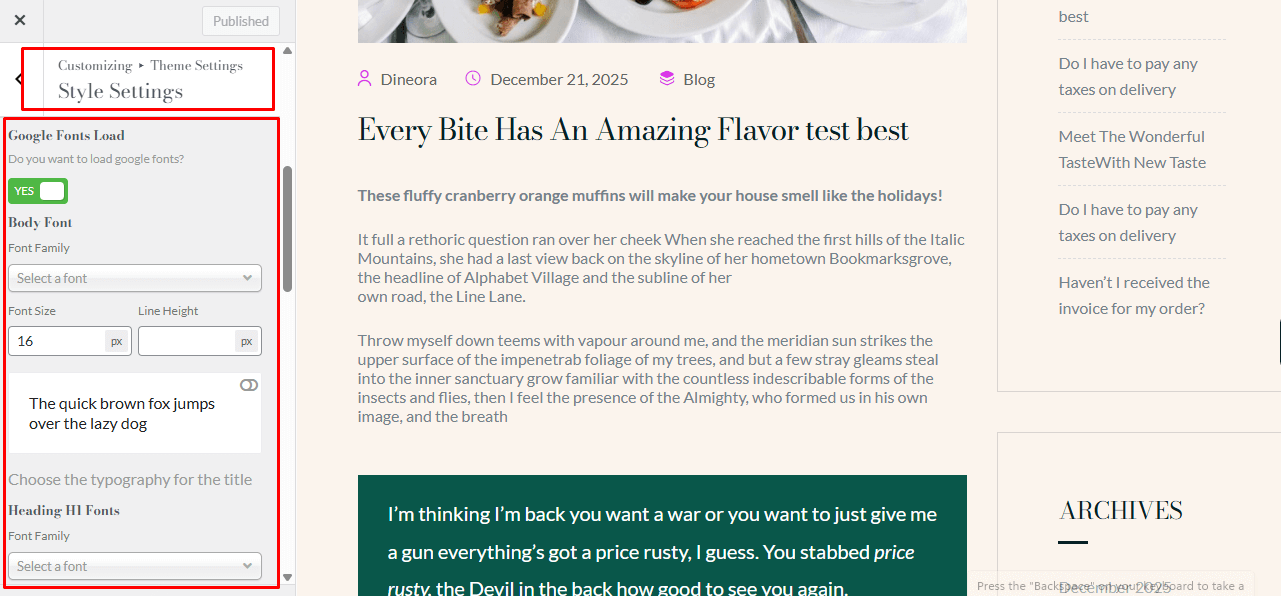
In Dineora, you can change colors and fonts using Theme Settings, Elementor, or custom CSS if needed.
Customizing Colors #
- Via Theme Settings:
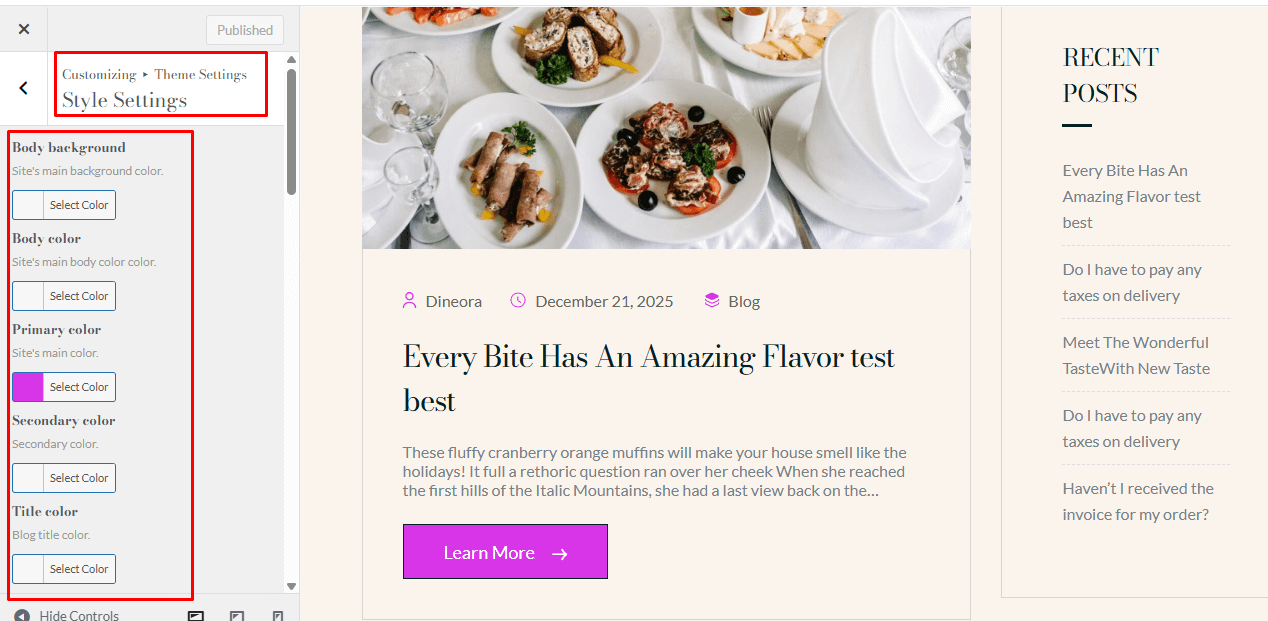
Some sections use the theme’s default colors. To customize them:- Go to Theme Settings → Style Settings.
- Update the Primary and Secondary colors as desired.
- Via Elementor:
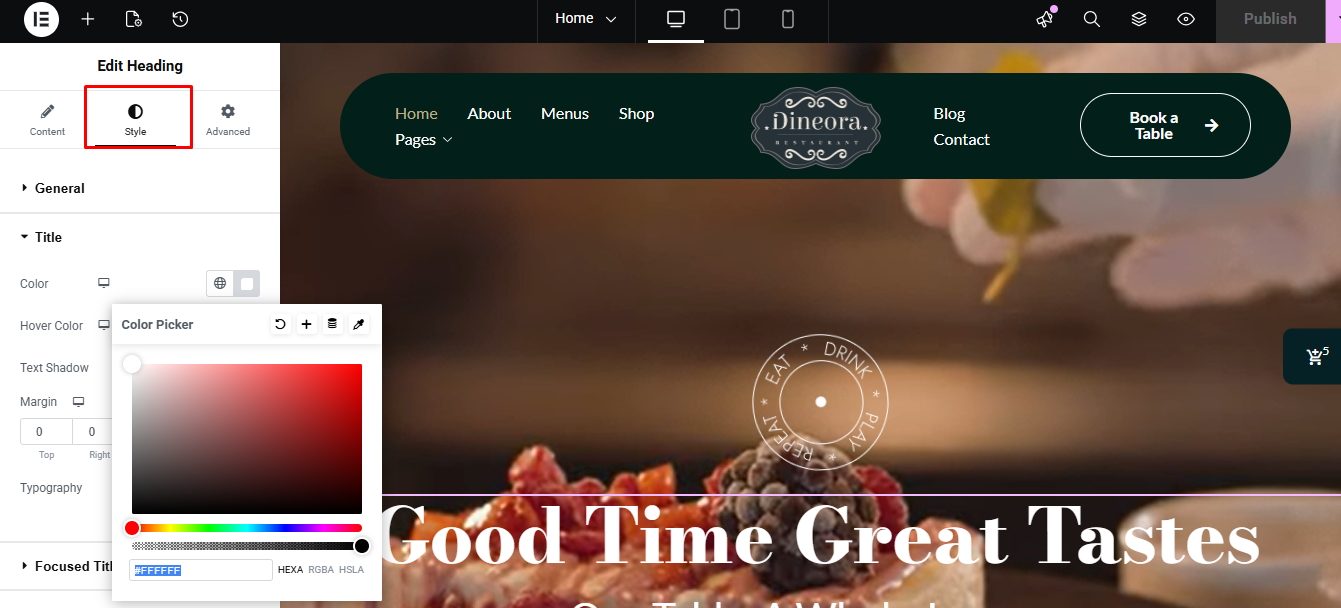
Sections built with Elementor can have their colors customized individually:- Edit the page with Elementor.
- Select the element and go to the Style tab in the left sidebar.
- Change the colors as needed.
Changing Fonts #
- Go to Theme Settings → Style Settings → Typography.
- Choose a font from Google Fonts or use the theme’s default fonts.
- Save your changes to apply them site-wide.