
Integrating Eventin with SureCart helps streamline your event ticket-selling process with a modern eCommerce experience. SureCart offers simplified checkout, secure payment management, and clear order tracking. By enabling this integration, you can sell Eventin event tickets directly through SureCart, making ticket sales, order management, and conversions more efficient. As a result, event organizers can offer a smoother purchasing experience while managing everything more easily.
Here is the video guide you can follow for the complete process:
Requirements #
To set up the integration, you will need:
- Eventin(Free)
- Eventin Pro (Optional)
- SureCart plugin (Free)
- Eventin – SureCart Addon
You can install the Eventin SureCart add-on from Eventin → Extensions → Install Eventin SureCart Add-on.
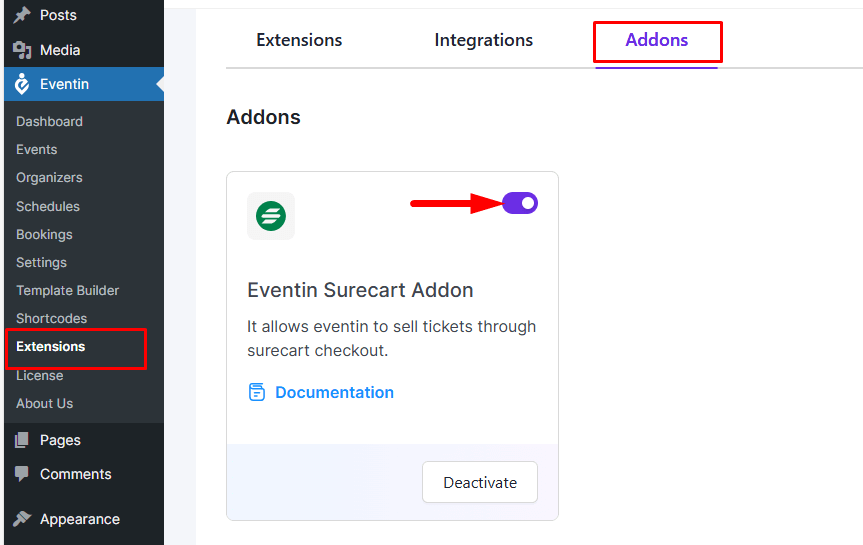
How to Setup SureCart Account & API #
- First, create an account on SureCart using their official signup link.
- After creating the account, go to your WordPress dashboard and install the SureCart plugin, then activate it.
- Now go to SureCart Account → API menu and create a new Secret API Key (or copy an existing one).
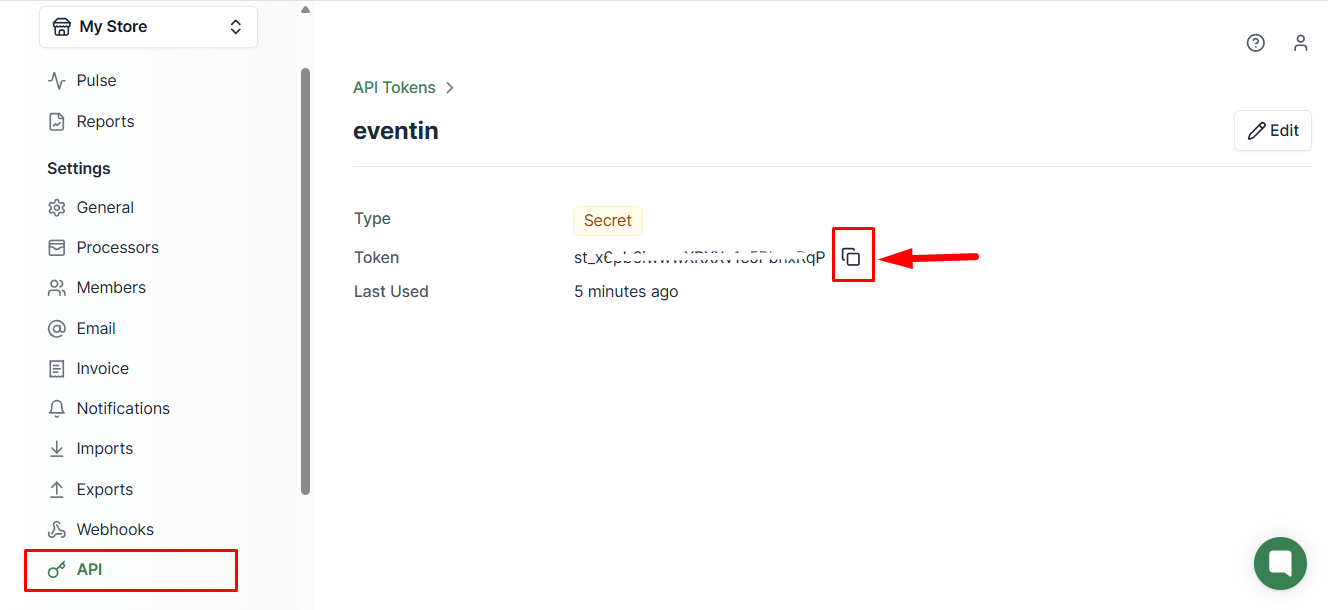
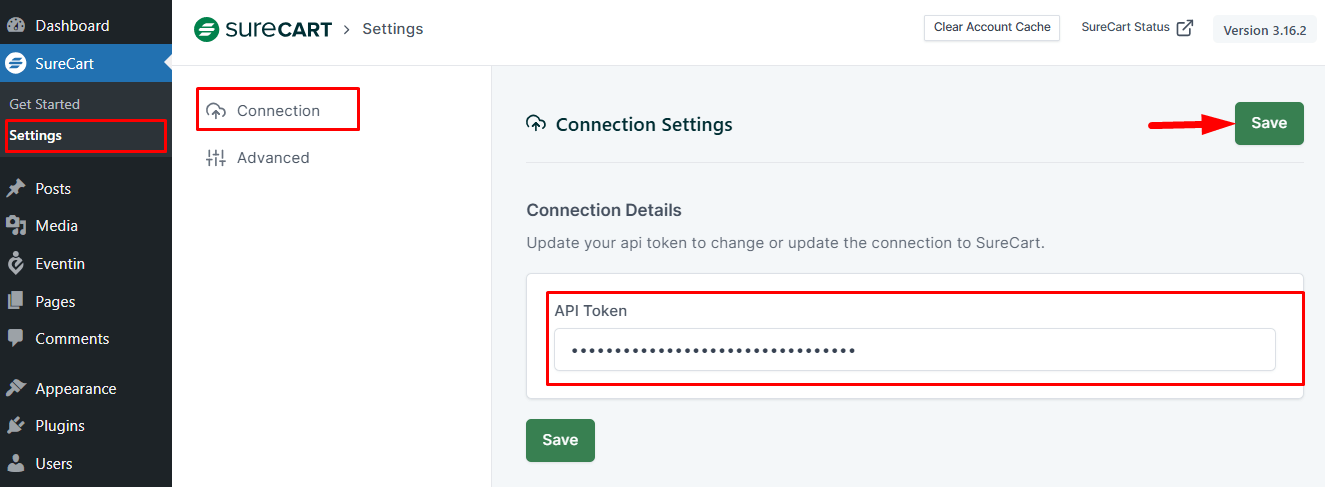
Now go to your admin dashboard and paste the Secret API Key in SureCart → Connection → API Key and save changes.
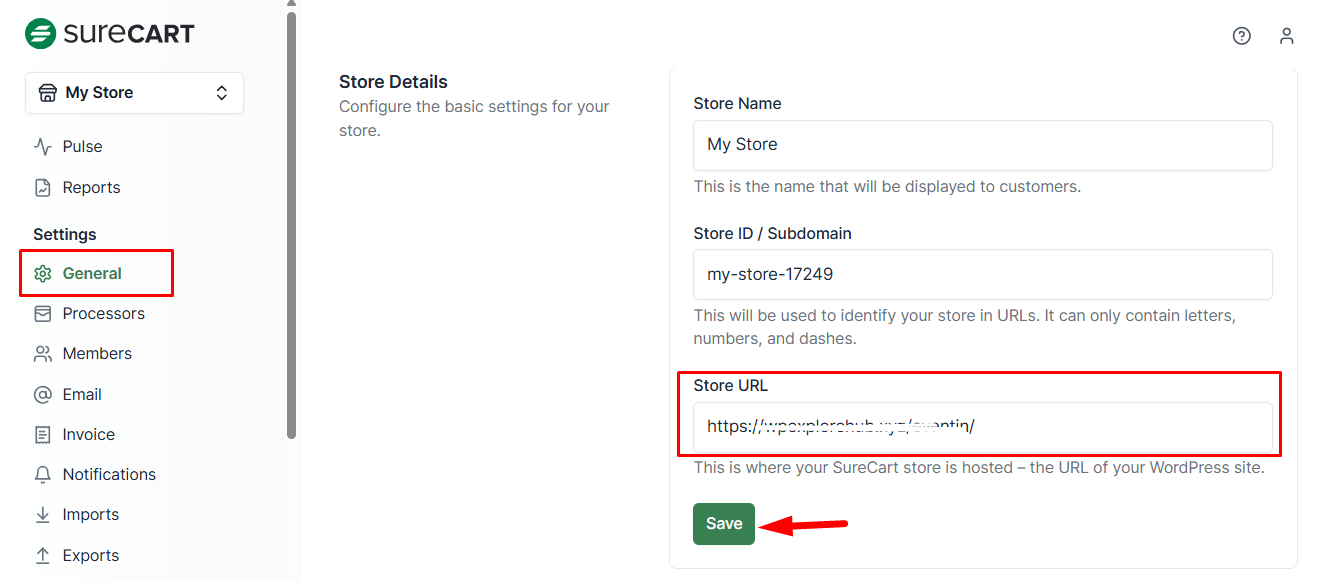
After adding the API Key, go to Settings → Store Settings inside SureCart and add your website URL as the Store URL, then save the changes.
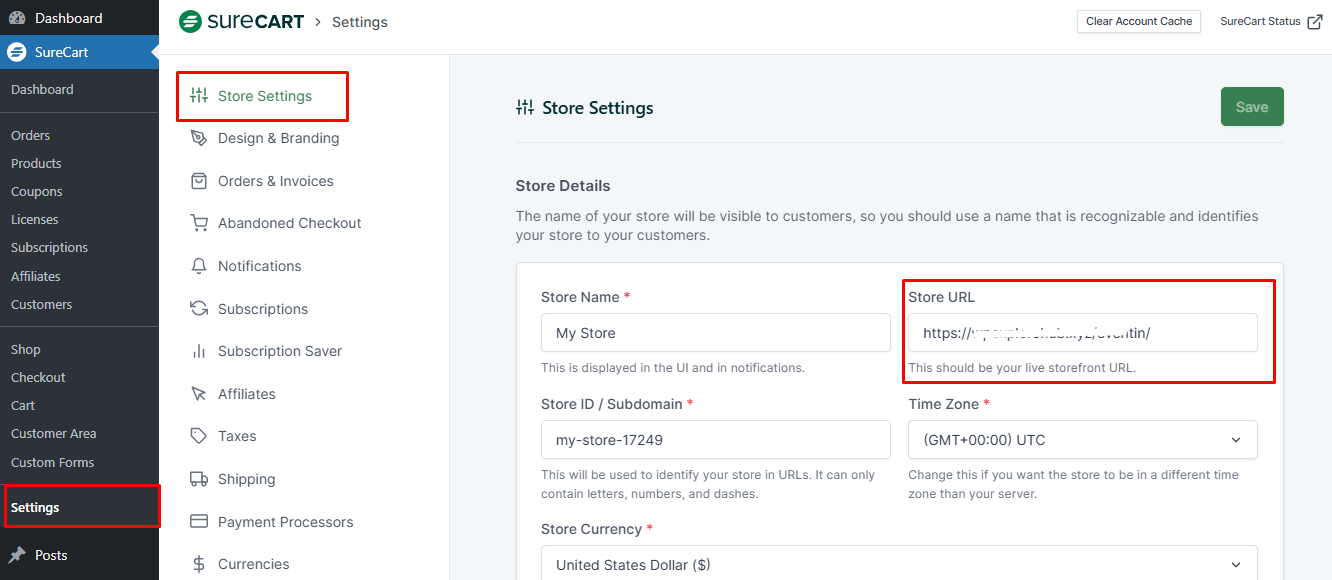
Make sure the same Store URL is added in your SureCart account settings as well. Once this is done, your SureCart account and plugin setup will be complete.
How to Purchase Event with SureCart #
Open an event and add the ticket to your cart. You will see the Eventin checkout page with SureCart already selected as the payment method.
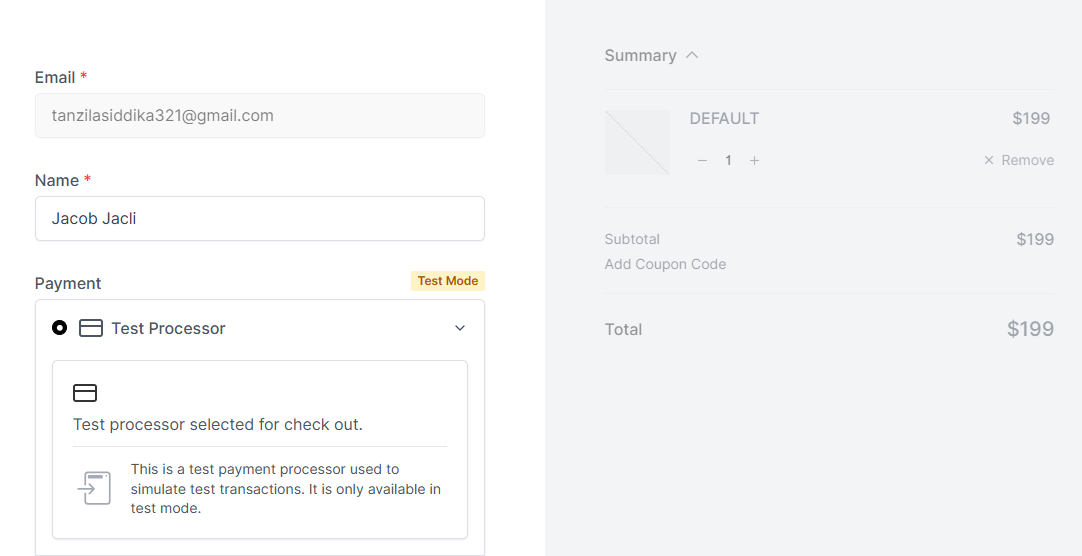
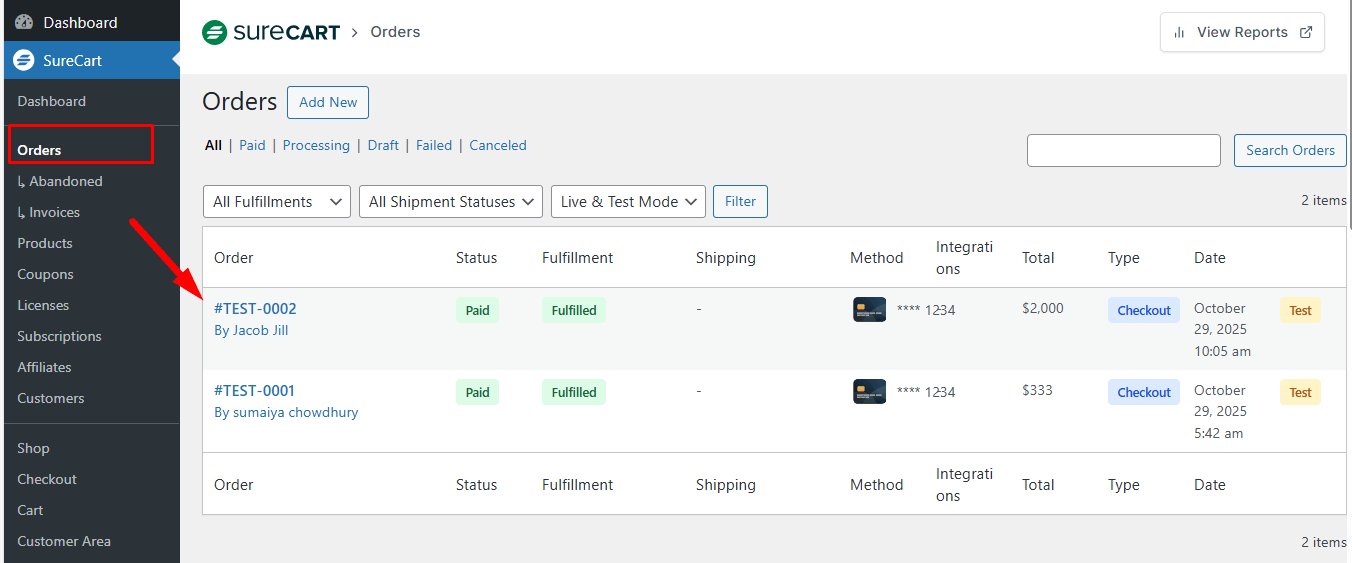
Complete the checkout, and your purchase will be successful. You can view the order in SureCart → Orders.
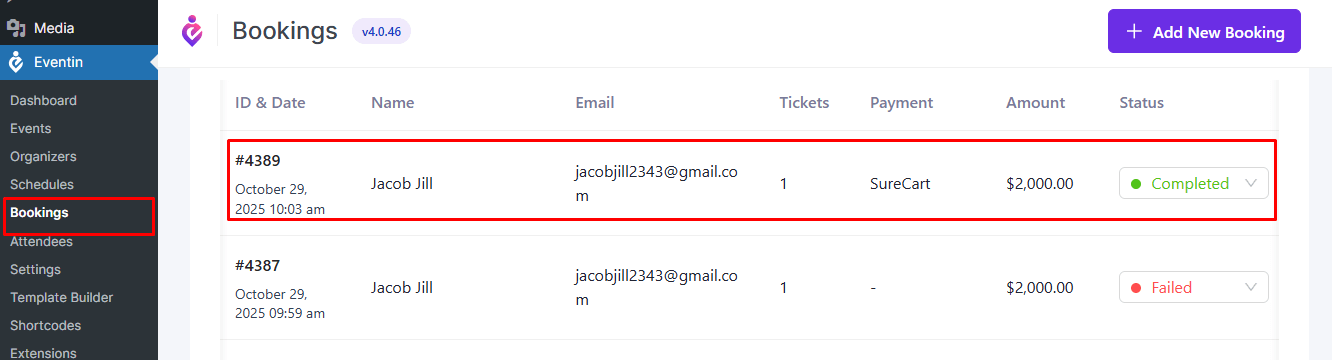
The booking will also appear as successful in Eventin → Bookings.
How to Connect Webhook #
A webhook allows SureCart to notify Eventin whenever an order is Paid, Refunded, or Revoked/Cancelled, so the corresponding booking status updates automatically, keeping orders and bookings in sync without manual action.
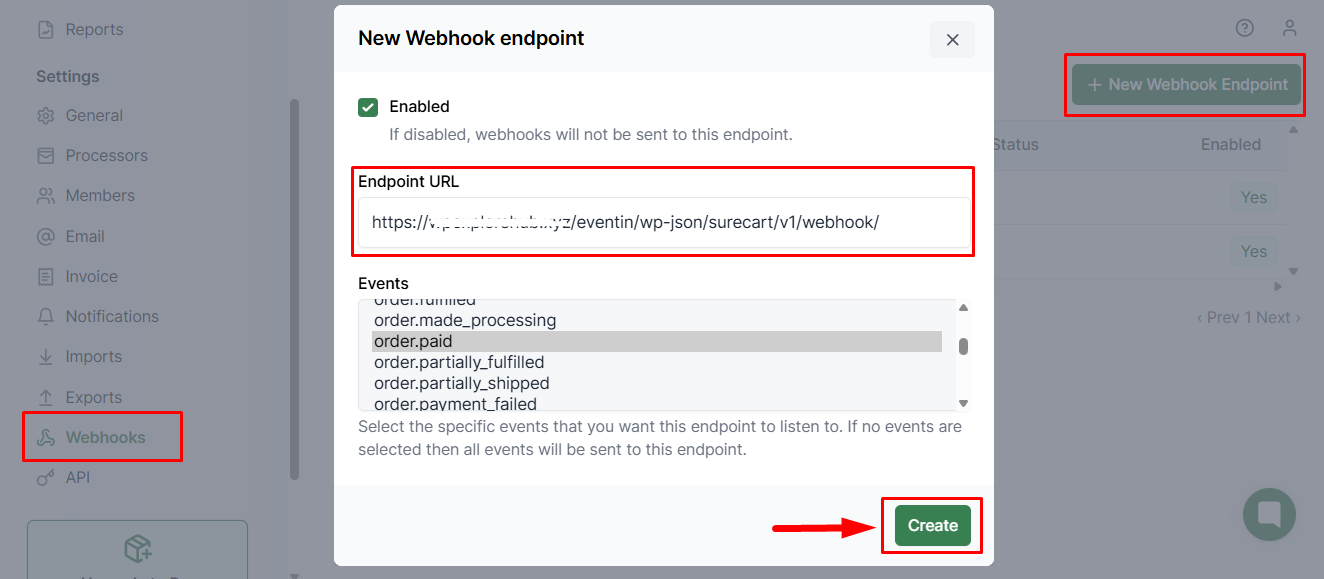
- Go to SureCart Dashboard → Settings → Webhooks.
- Click Add Webhook Endpoint.
- Copy the Eventin surecart webhook URL from the Eventin settings.
- Paste the Eventin webhook URL in the Endpoint URL field.
- Select the events to sync:
- order.paid
- refund.created
- purchase.revoked
- order.voided
- Click on Create button.
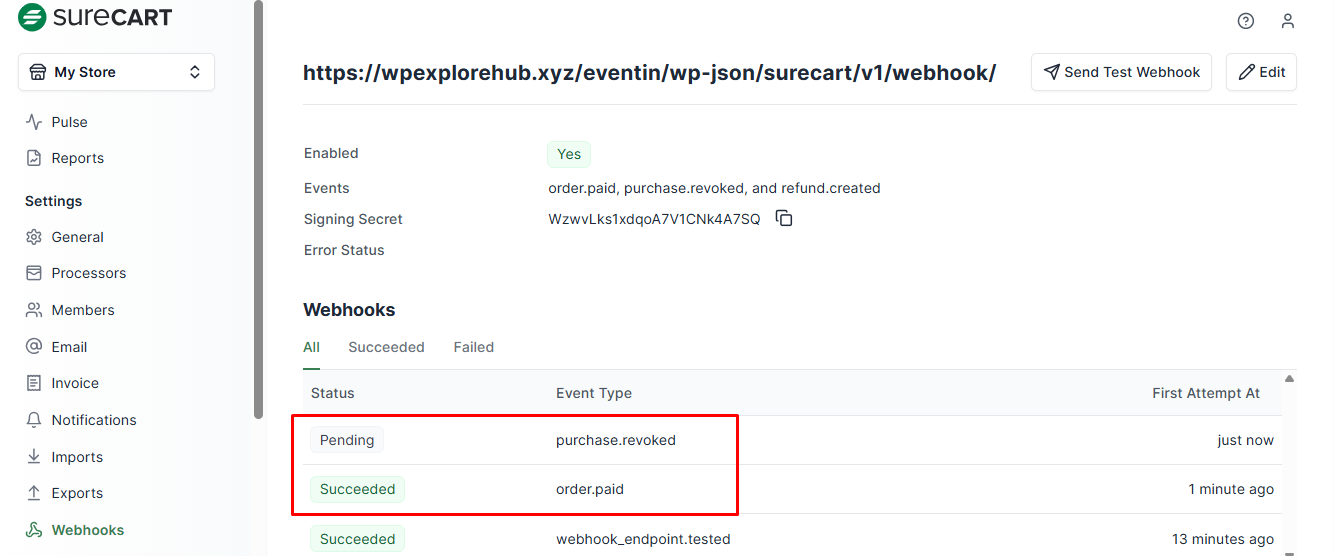
The webhook will become active, and any matching SureCart events will be sent to Eventin.
Once the webhook is active, any order action triggers an update to Eventin, automatically updating the corresponding booking status.
FAQs #
Q1: Do I need Eventin Pro for SureCart integration?
A1: No, Eventin Free works fine. Eventin Pro just gives extra advanced features.
Q2: Where can I find the SureCart Secret API Key?
A2: Go to SureCart → Account → API and copy the Secret Key from there.
Q3: Why is payment not showing on checkout?
A3: Make sure SureCart is enabled inside Eventin → Settings → Payment and the API Key is correctly added.
Q4: My order is showing in SureCart, but not in Eventin. What should I do?
A4: Check whether the Store URL is correctly set in both SureCart settings and SureCart account settings.
Conclusion #
Eventin and SureCart integration makes ticket selling easier with secure payments, fast checkout, and better order management. Once enabled, organizers and customers both enjoy a smooth event ticketing experience, from purchase to booking confirmation.


