
WPCafe allows you to send automatic emails whenever a reservation is created or canceled. Follow the steps below to set up the automation quickly.
Create a Reservation Email Automation #
- Go to WPCafe → Settings → Advanced Tools → Automations.
- Click Add New Automation.
- A small form will appear. Choose one of the two triggers:
- Reservation Created
- Reservation Canceled
- Fill out the form and click Create.
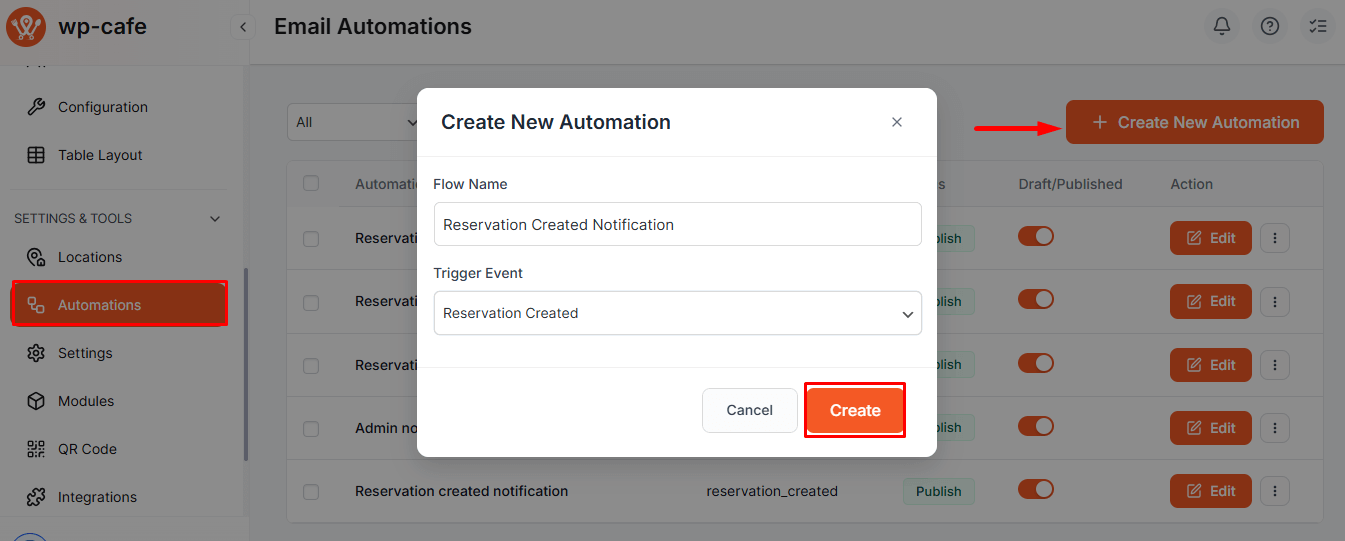
After clicking Create, you will be taken to the Automation Editor,
- Click Add Node to insert actions or conditions.
- You can add Condition nodes to check specific reservation details before sending an email.

- Select Send Email and configure the email subject, message, and dynamic tags.
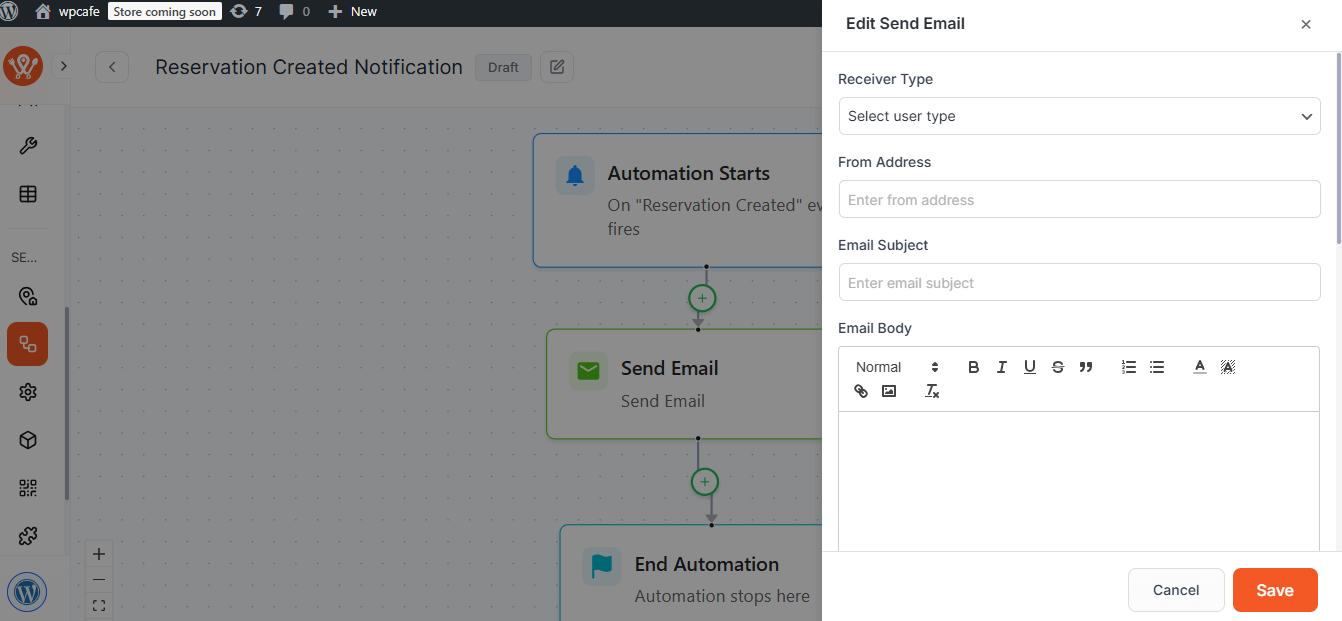
- After setting everything, click Save to activate the automation.
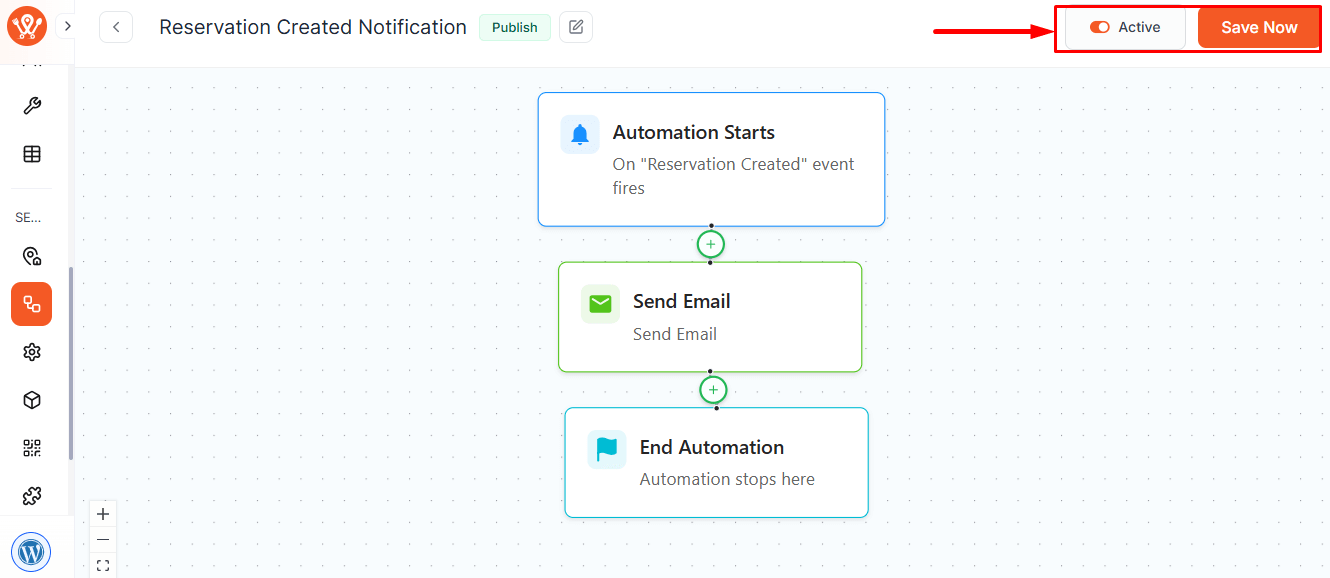
You can view all your created automations from the Automation List inside the Automations menu. From there, you can edit, activate, deactivate, or delete any automation.
Your automation email is now ready, and it will automatically send emails to your clients based on the reservation status.


