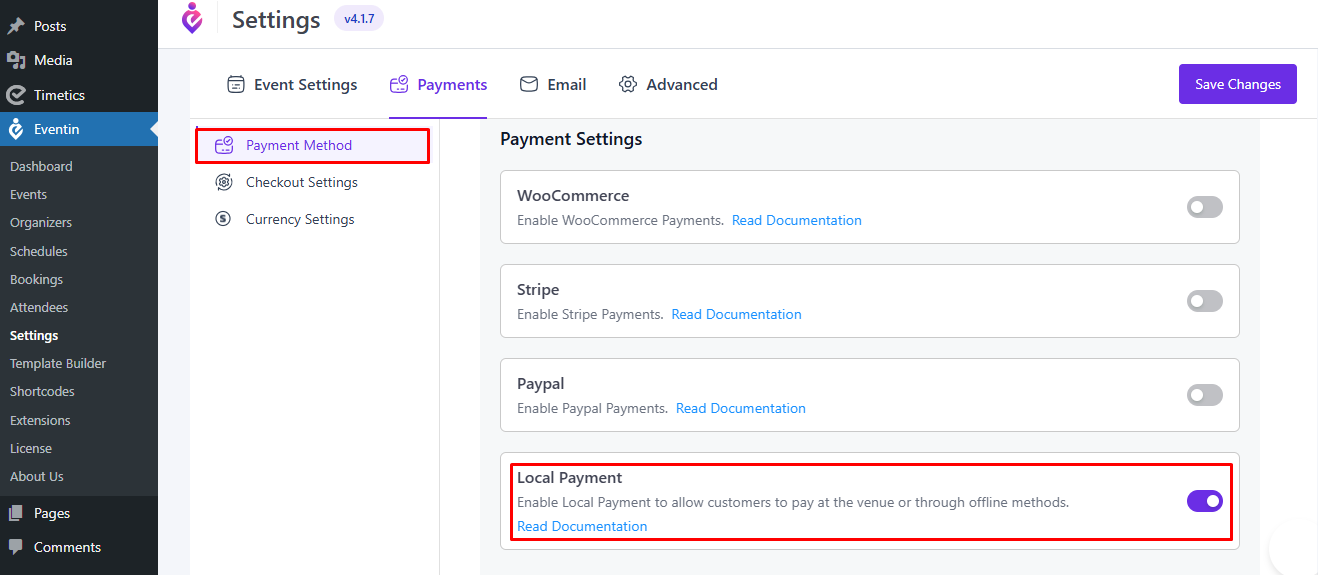
You can enable Local Payment to allow customers to pay at the event venue or through offline payment methods.
Steps to Enable Local Payment #
- Go to Eventin → Settings from the WordPress dashboard.
- Click on the Payments tab.
- Select Payment Method from the left panel.
- Find the Local Payment option.
- Toggle the switch ON to enable it.
- Click Save Changes.
Once enabled, customers will be able to select Local Payment during checkout and complete the payment at the venue or through another offline method.