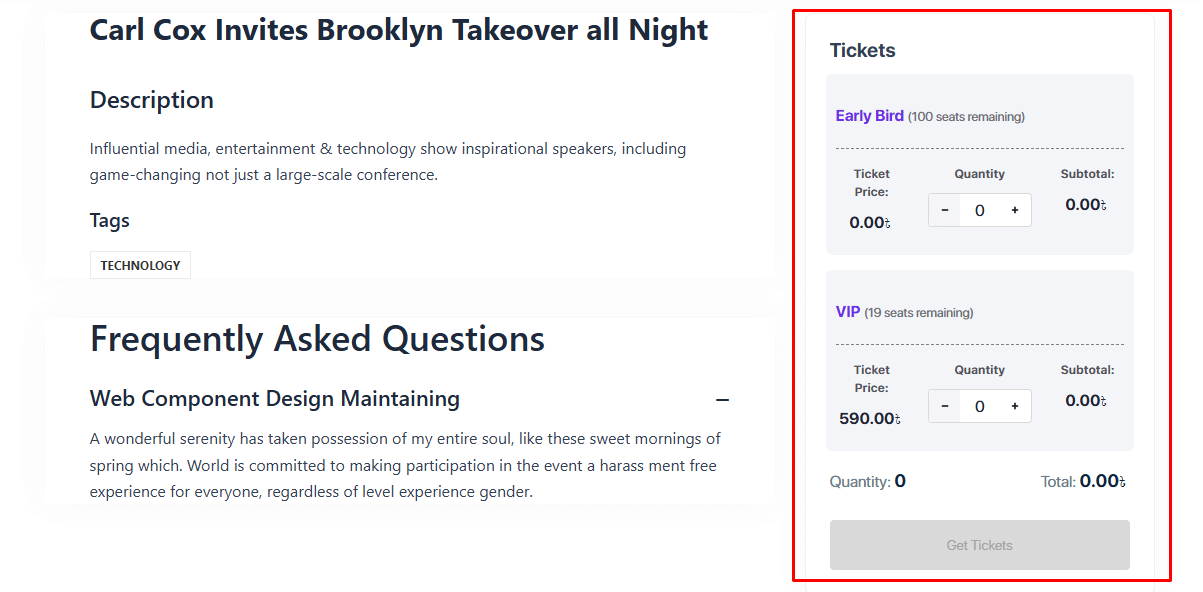
Eventin’s Ticket Variations feature lets you create multiple ticket types for a single event, each with its own pricing, capacity, and sales rules. This gives you better control over ticket sales while efficiently managing inventory.
You can offer different ticket options such as VIP, General Admission, and Early Bird, each with its own price and quantity, for example, limiting VIP tickets to 100 while offering 500 General tickets. This flexibility helps optimize sales, manage availability, and meet diverse attendee needs.
Create Variations Tickets for Event #
First, create or edit an event and then go to the Tickets tab from the top event setup steps. Click on
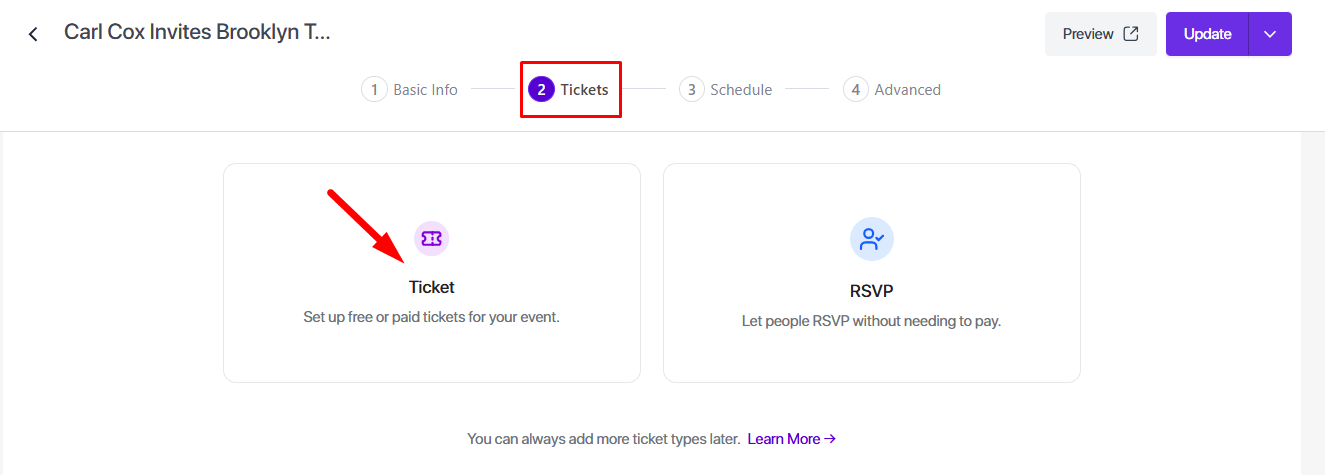
Add a Ticket #
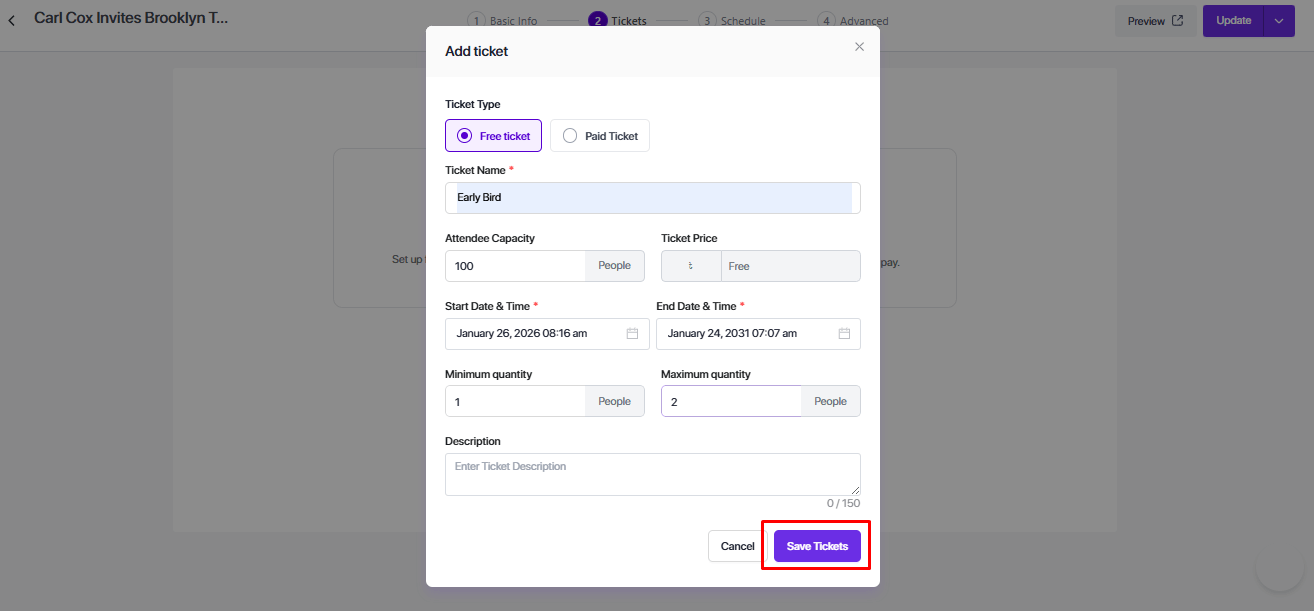
- Click Ticket → Add Ticket. This will open the Add Ticket pop-up.
- In the pop-up, fill in the following details:
- Ticket Type: Free or Paid
- Ticket Name: e.g., Early Bird, General, VIP
- Attendee Capacity: Number of seats for this ticket
- Ticket Price: Required for paid tickets
- Sale Start Date & Time: When ticket sales begin
- Sale End Date & Time: When ticket sales stop
- Minimum Quantity: Minimum tickets per booking
- Maximum Quantity: Maximum tickets per booking
- Description (Optional): Short info about the ticket
After filling all required fields, click Save Tickets. Your ticket is now active.
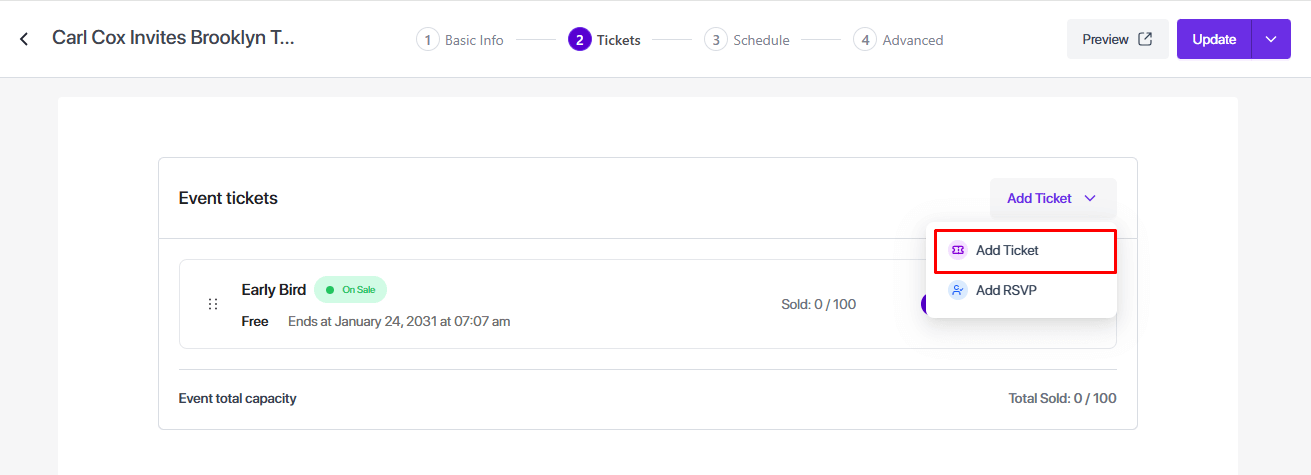
Multiple Ticket Variations #
You can add multiple tickets for the same event by repeating the Add Ticket process.
The ticket module is displaying on the event landing page.