
Eventin now integrates seamlessly with Pabbly Connect, enabling you to automate workflows and connect Eventin with 2,000+ apps—no coding or extra installation required.
This guide will help you set up the initial connection between Eventin and Pabbly Connect. You can also explore ready-made Eventin integrations on Pabbly for faster automation.
👉 Eventin Integrations
Requirements #
Before you begin, make sure you have:
- Eventin PRO – Webhook functionality is available only in the Pro version
- Pabbly Connect account – Free or Pro plan, based on your workflow needs
Pabbly Connect lets you automatically send Eventin data to apps like Google Sheets, Mailchimp, Slack, and many more, without writing any code.
Step 1: Sign Up on Pabbly #
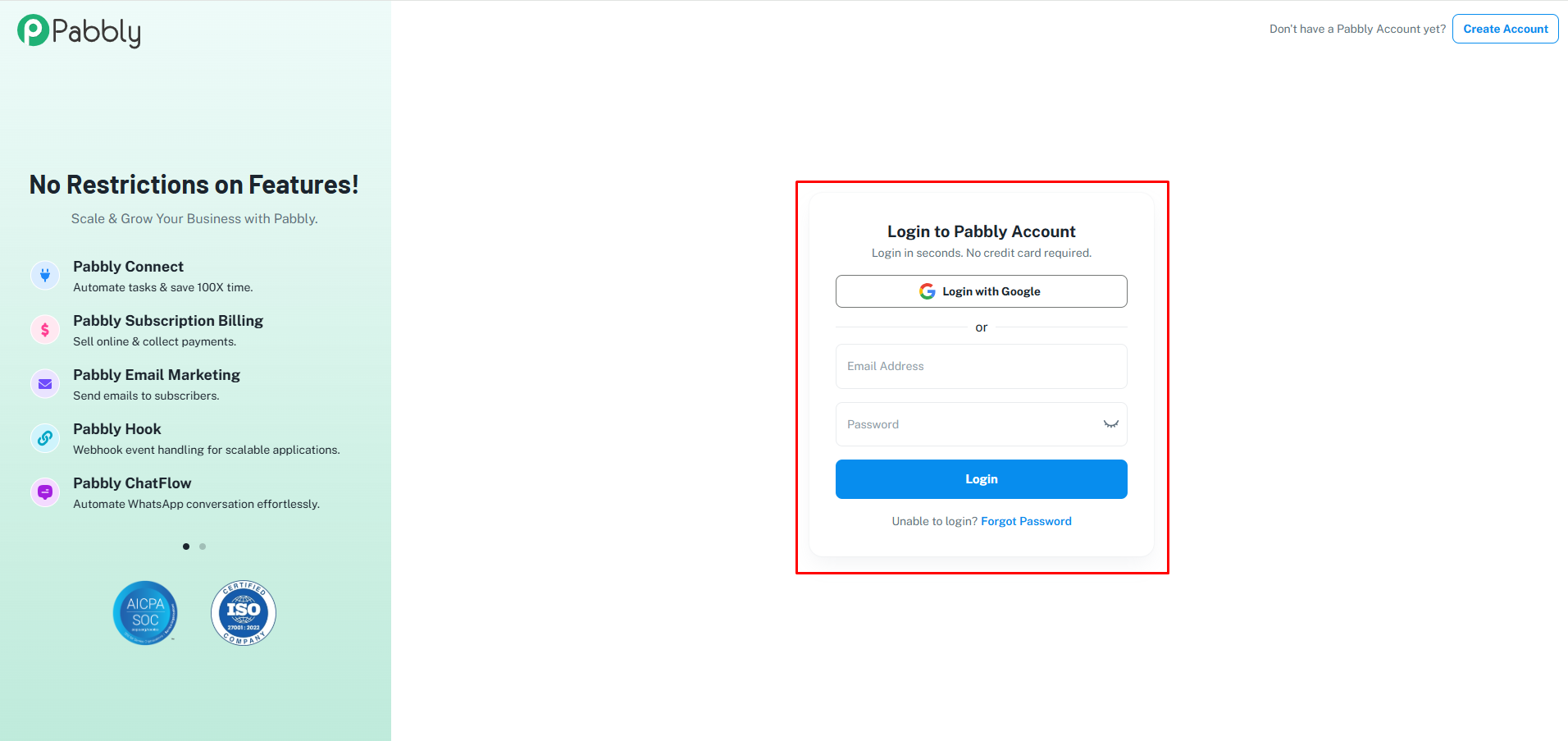
First, you need a Pabbly account. If you don’t have one yet, sign up here: Pabbly Sign Up
After clicking the link, you’ll get the Sign Up interface as shown below:
Step 2: Access Pabbly Connect #
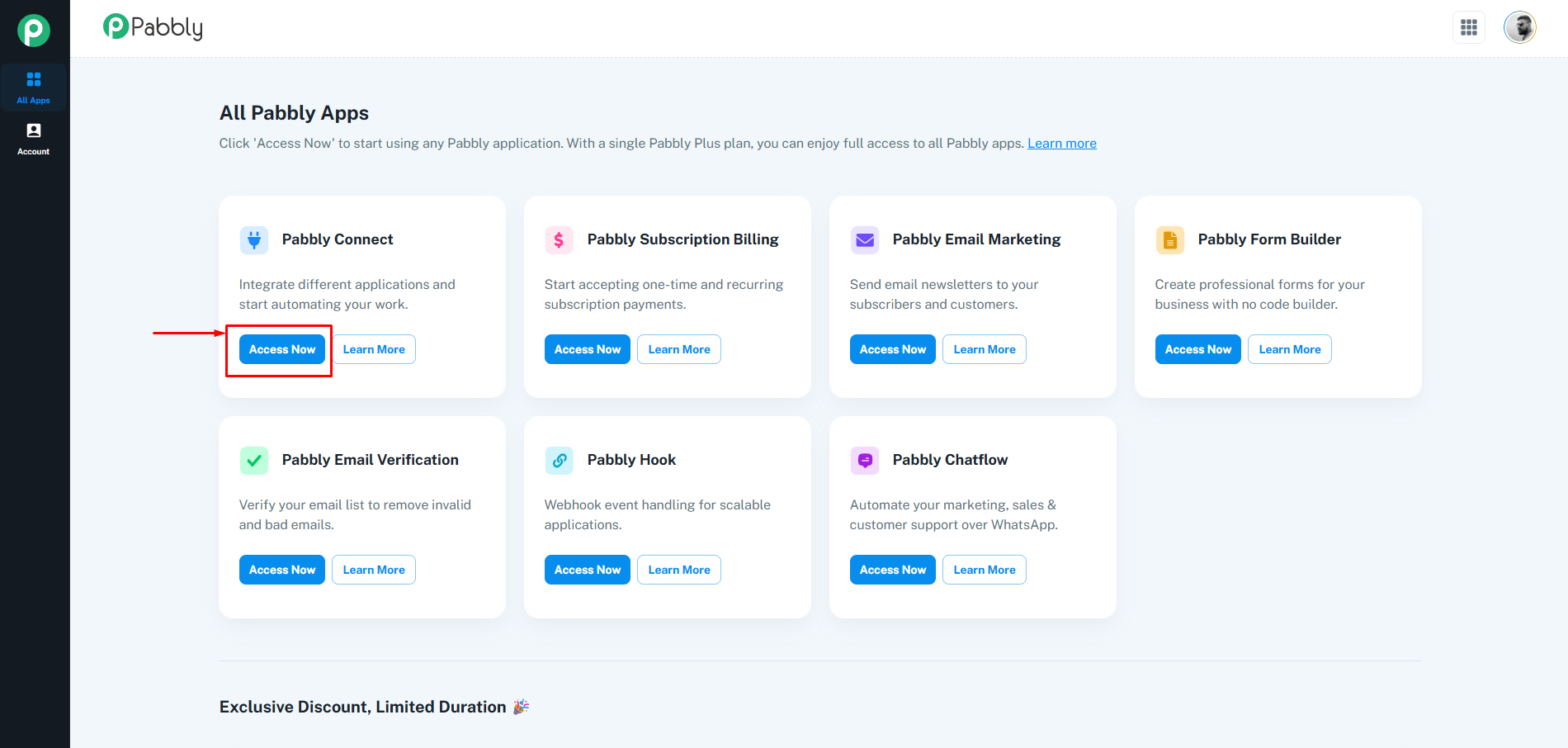
Once you sign in, you’ll be redirected to the Pabbly Apps dashboard. From here, under Pabbly Connect, click on the Access Now button as shown in the image below:
Step 3: Create a Workflow #
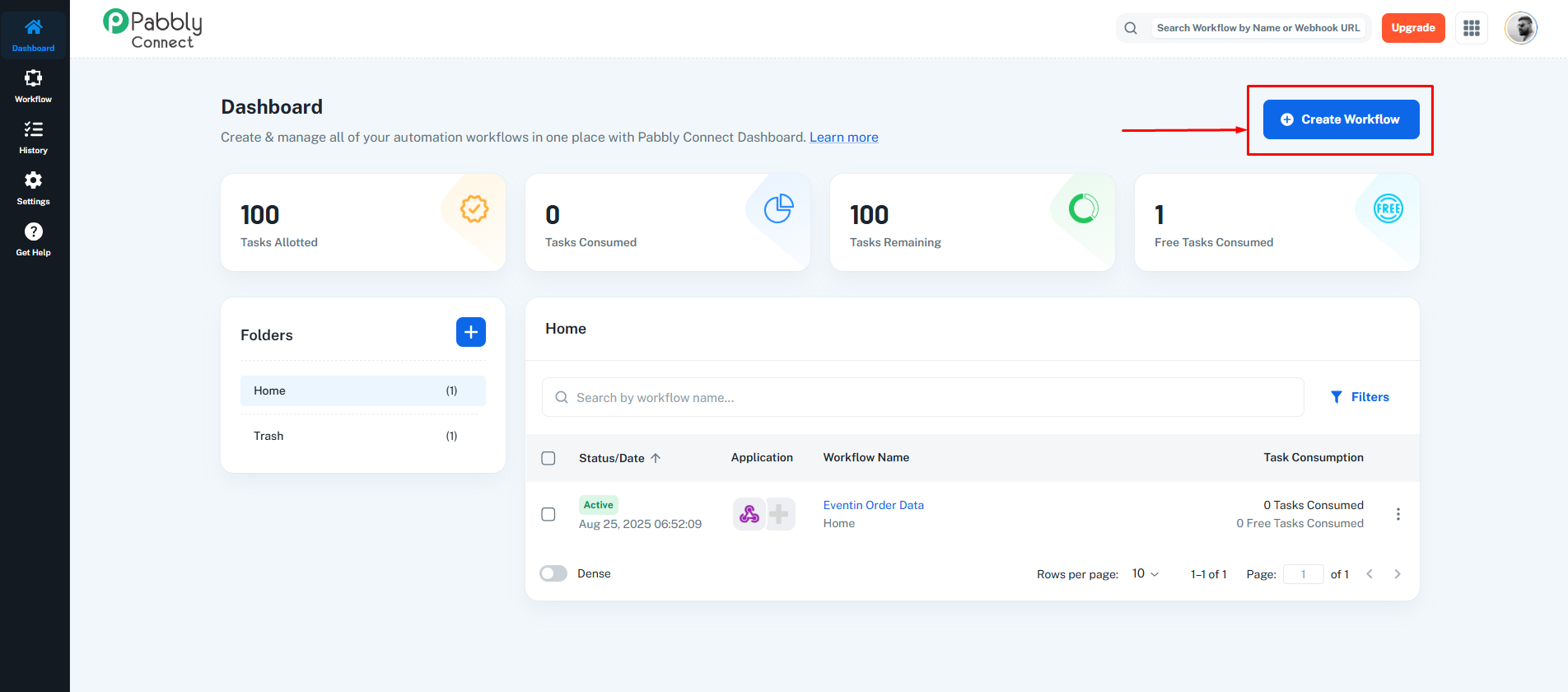
Now, you’ll be redirected to the Pabbly Connect Dashboard. From here, click the Create Workflow button.
Step 4: Choose Workflow Builder #
After clicking Create Workflow, you’ll be asked to choose a workflow builder. Select the Stable Workflow Builder.
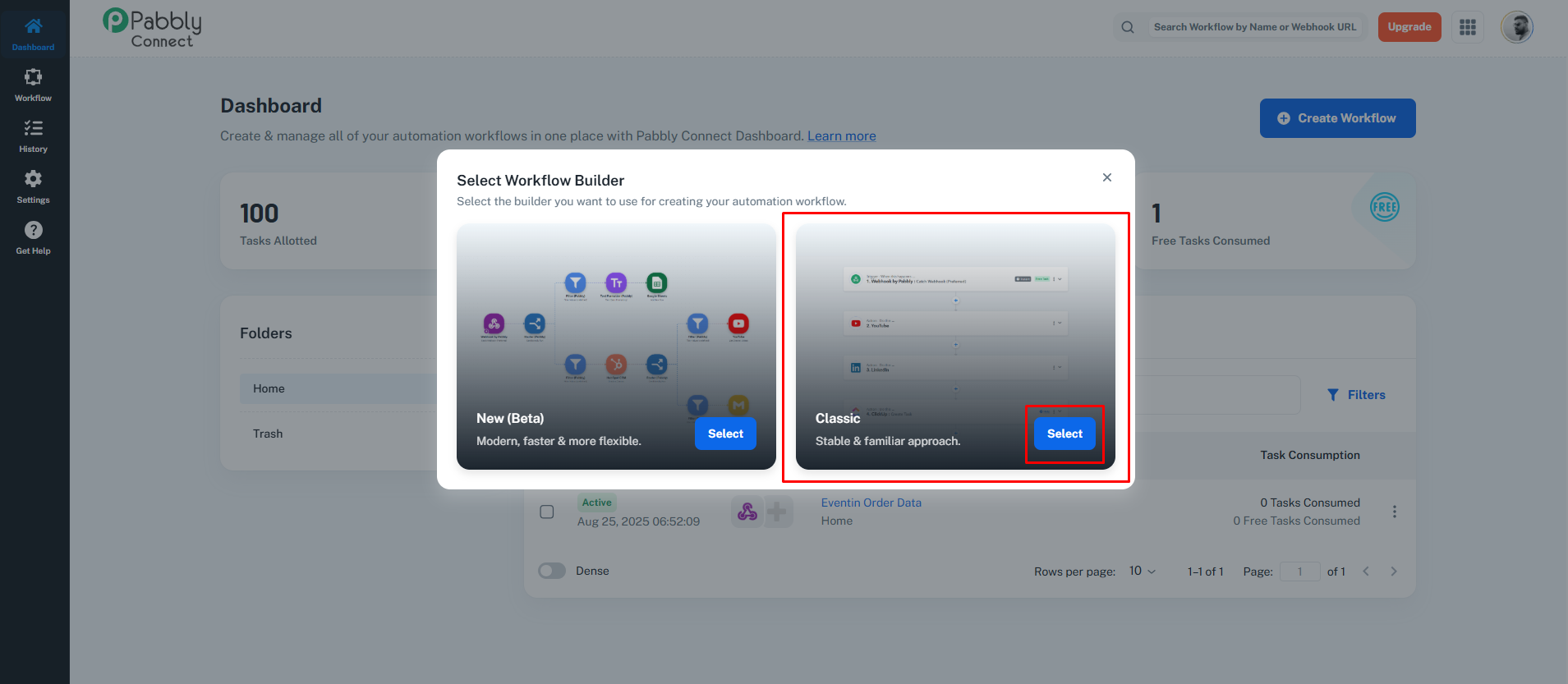
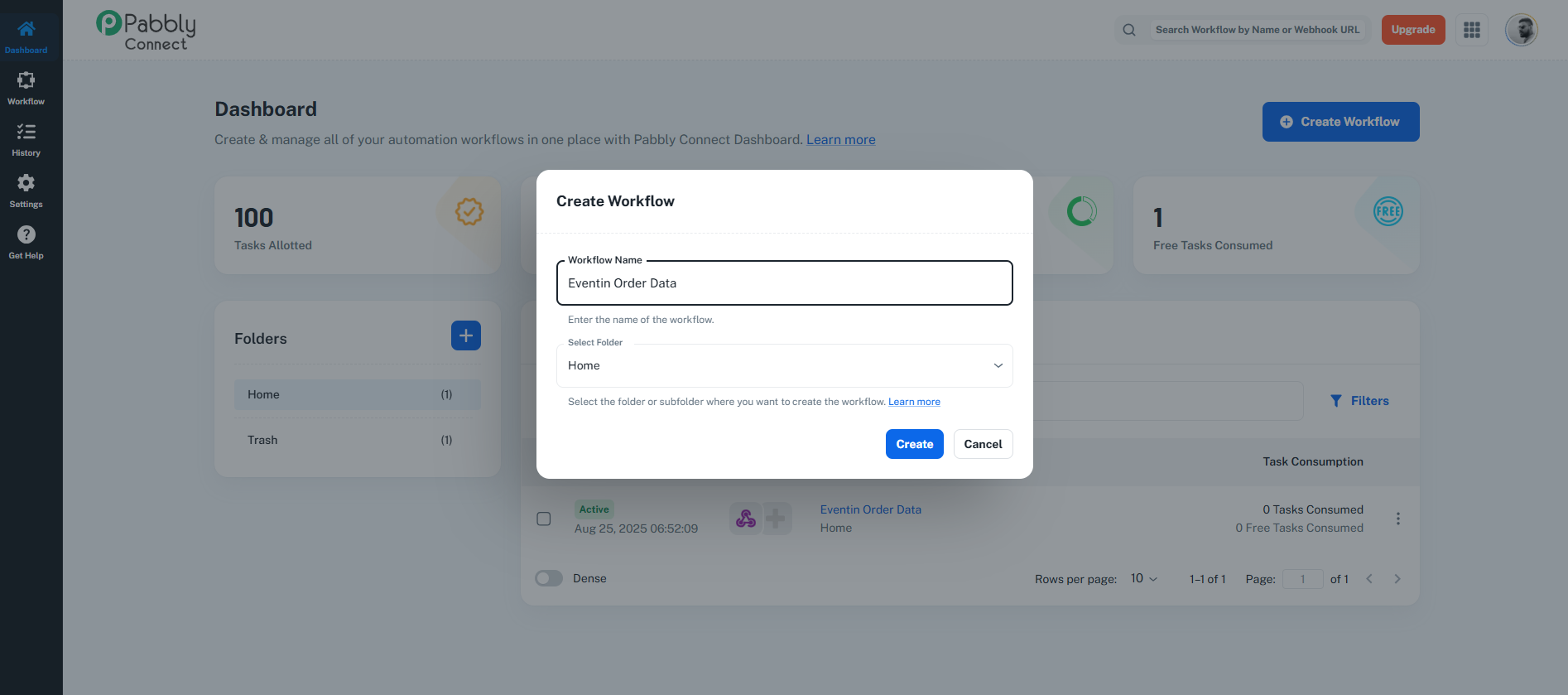
Now, give your workflow a meaningful name (e.g., Eventin Order Data), and click Create.
Step 5: Search and Select Webhook App #
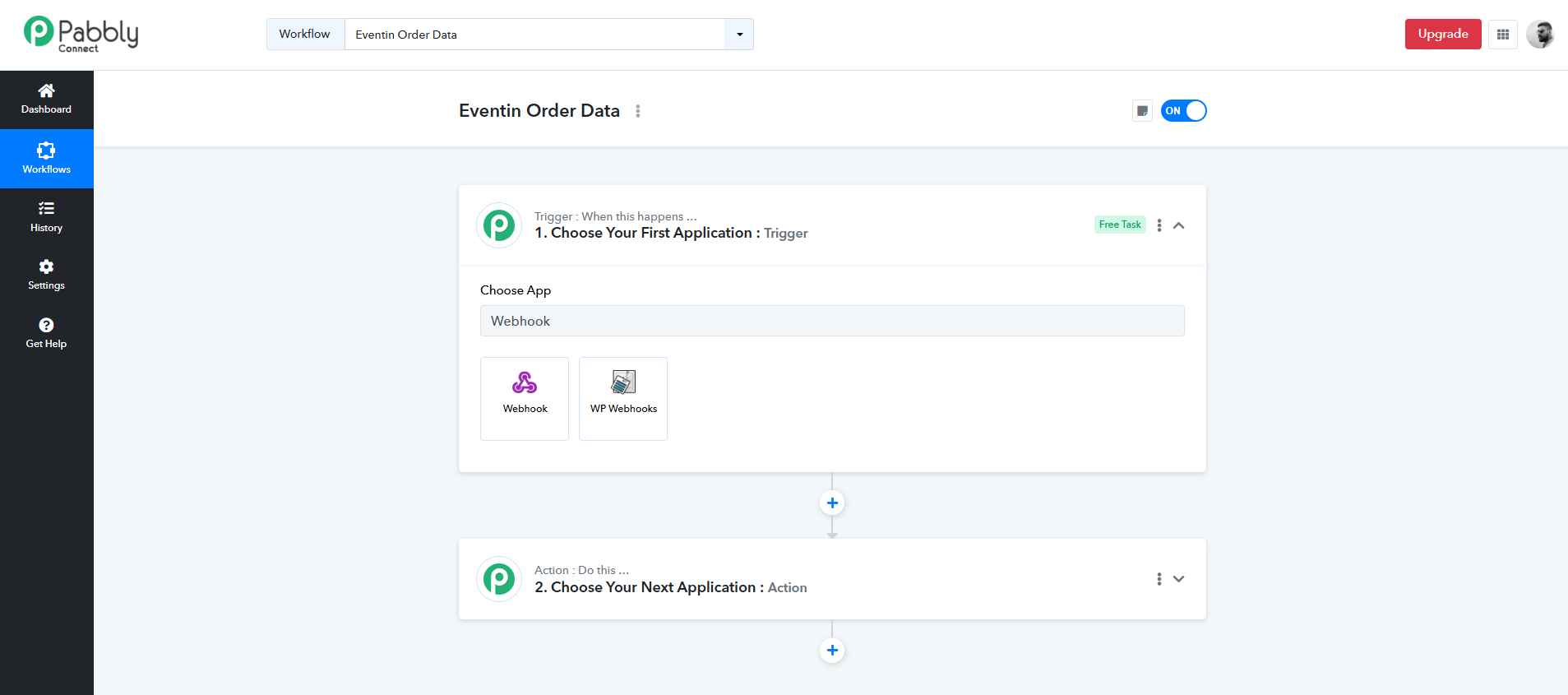
Once your workflow is created, you need to set up a Trigger. In the application search bar, type Webhook and select the Webhook App.
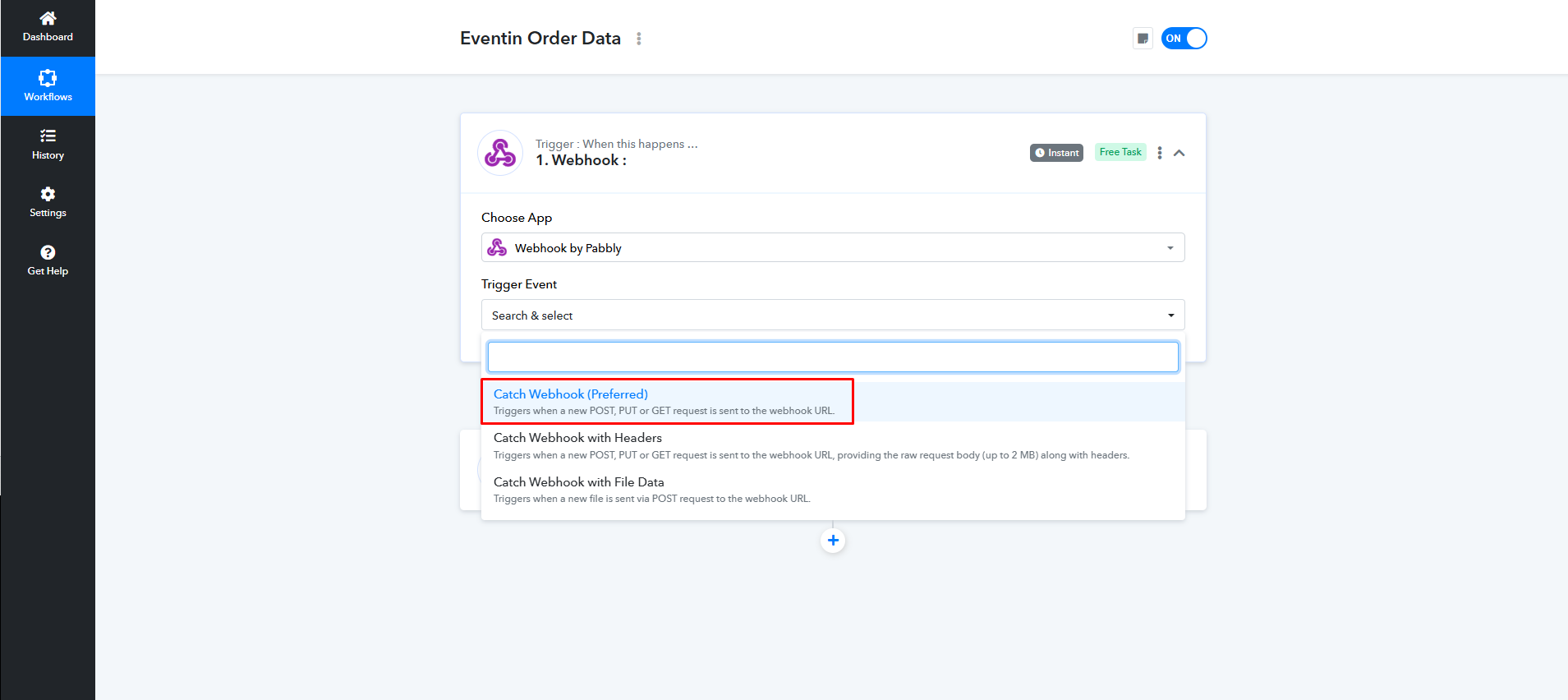
After selecting it, choose the Trigger Event (this will capture data from Eventin).
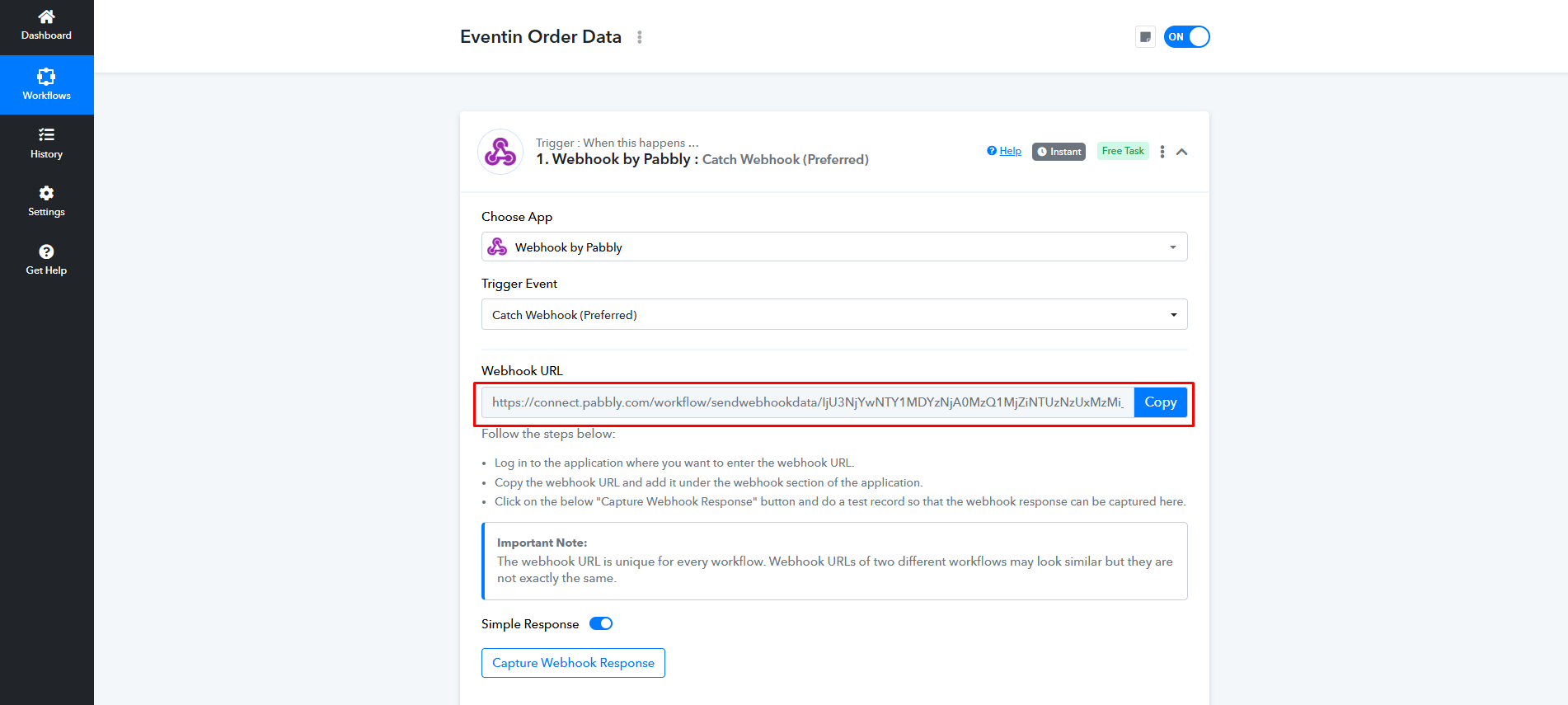
Once done, Pabbly will generate a Webhook URL. Copy this URL — you’ll need it inside Eventin.
Step 6: Configure Webhook in Eventin #
Now, go to your WordPress dashboard and navigate to Eventin > Settings > Advanced> Webhooks.
Here, create a New Webhook. Choose the Topic based on the data you want to fetch (for example, order data, attendee details, etc.). Then, paste the Webhook URL you got from Pabbly into the URL field.
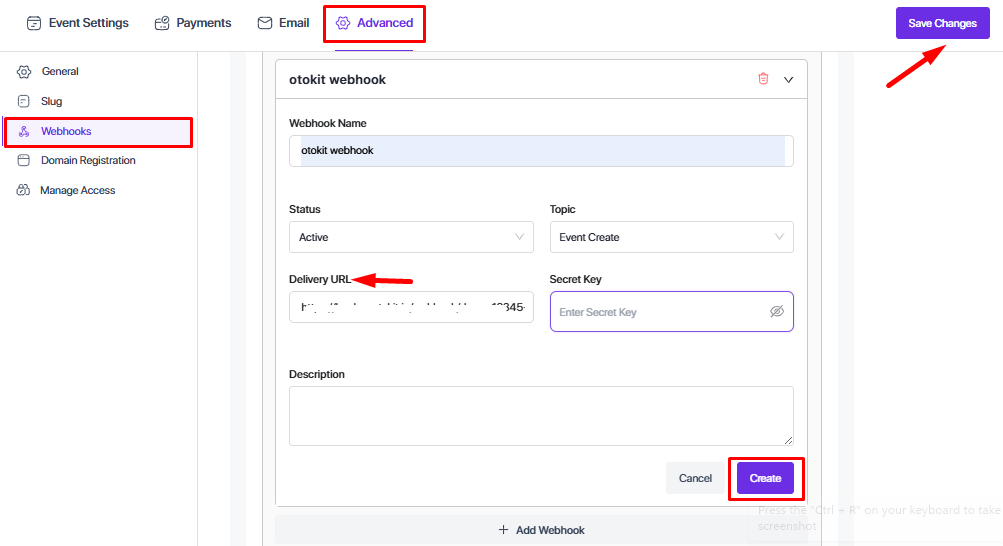
Finally, save the webhook settings.
Step 7: Passing Data from Eventin to Pabbly #
After setting the Webhook URL in Eventin, Eventin will start passing data to Pabbly depending on the Topic you selected.
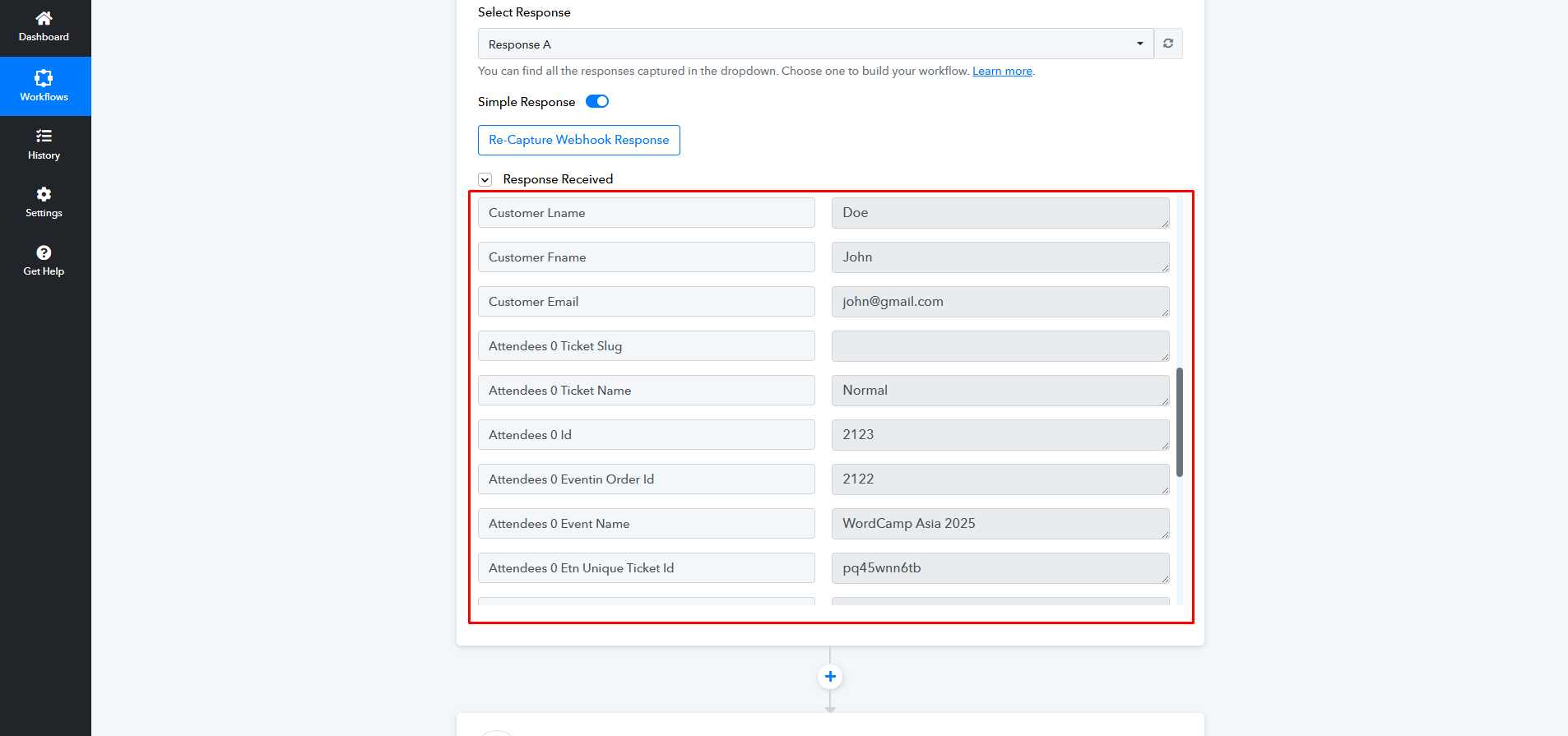
You will see that the data is responded to Pabbly. From this captured data, you can choose how you want to use or integrate it.
For example, you can send the data to:
- Google Sheets to automatically log attendee or order details
- Google Drive for file storage
- Or connect it with any other app that Pabbly supports
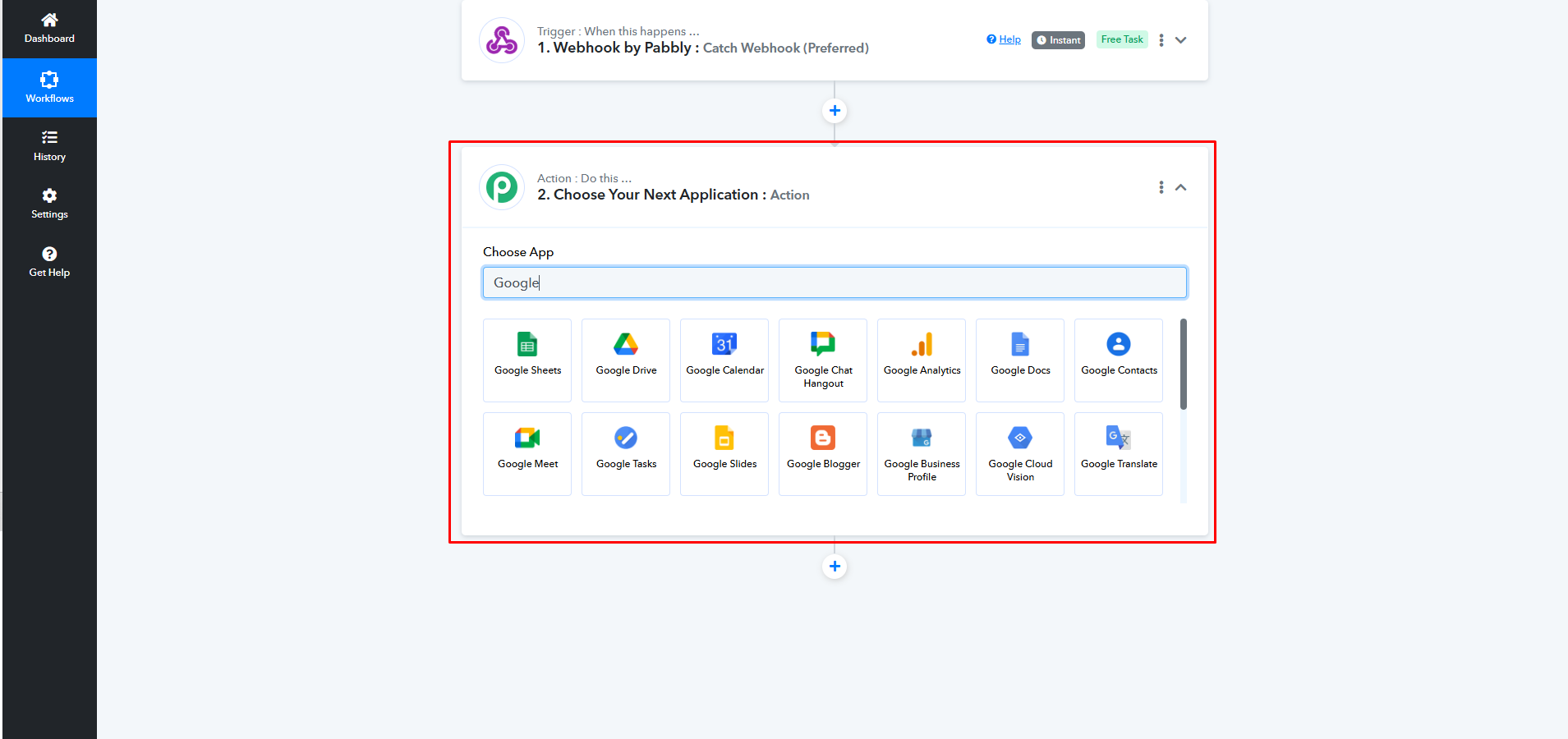
Pabbly gives you access to integrate with hundreds of apps, so you can fully automate your Eventin workflows.
FAQ #
1. Do I need a Pabbly subscription to use Eventin Webhook?
Yes, you need a Pabbly Connect account (free or paid) to generate the webhook URL and set up integrations.
2. Can I send Eventin data to multiple apps at once?
Yes, Pabbly allows you to connect the webhook output with multiple apps in the same workflow.
3. What kind of data can I pass from Eventin?
You can pass data such as attendee details, ticket information, order data, and other event-related records, depending on the topic you select.
4. Do I need coding knowledge to set this up?
No, Eventin + Pabbly integration works without coding. Just configure the webhook and connect it with apps through Pabbly’s interface.
5. How quickly does the data sync?
The data is sent instantly when the webhook trigger is fired, so you’ll see it reflected in Pabbly-connected apps in real-time.
Conclusion #
Integrating Eventin with Pabbly via webhooks makes it easy to automate your workflows. Once the webhook URL is set in Eventin, your event data can flow seamlessly into apps like Google Sheets, Drive, Slack, Mailchimp, and hundreds more supported by Pabbly. This not only saves you time but also ensures your data is always up to date across different platforms.
With just a few clicks, you can create powerful automations that connect Eventin with your favorite tools and take your event management to the next level!


