FluentCRM is a self-hosted email marketing automation plugin for WordPress that enables you to efficiently manage your leads, customers, and email campaigns. By integrating FluentCRM with WPCafe, you can seamlessly capture order and reservation data such as customer names, email addresses, and phone numbers directly into FluentCRM. This integration allows you to automate your marketing workflows and streamline your day-to-day operations.
Note: You need FluentCRM Pro and WPCafe Pro to leverage this feature.
Step 1: Create a New Contact List in FluentCRM #
1. Navigate to your FluentCRM dashboard.
2. Hover over Contacts in the top menu, and then click on Lists from the dropdown menu.
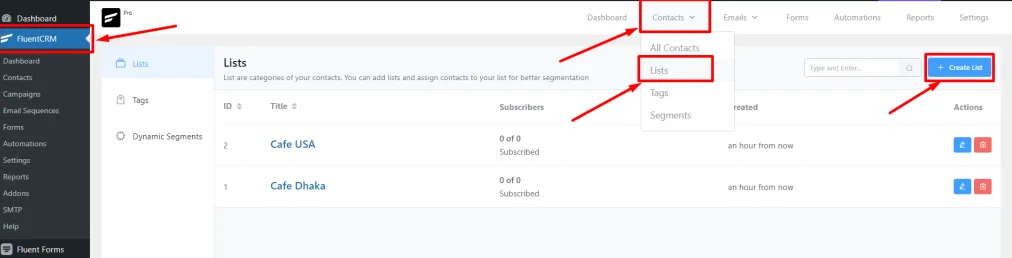
3. On the Lists page, click the + Create List button.
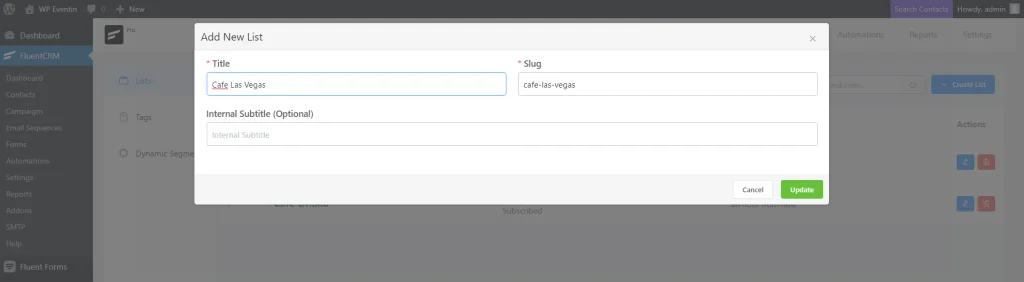
4. Provide a title for your list; the system will automatically generate a slug from it. An internal subtitle is optional.
5. After filling in the information, click Confirm to create the list.
Step 2: Generate and Copy Incoming Webhooks #
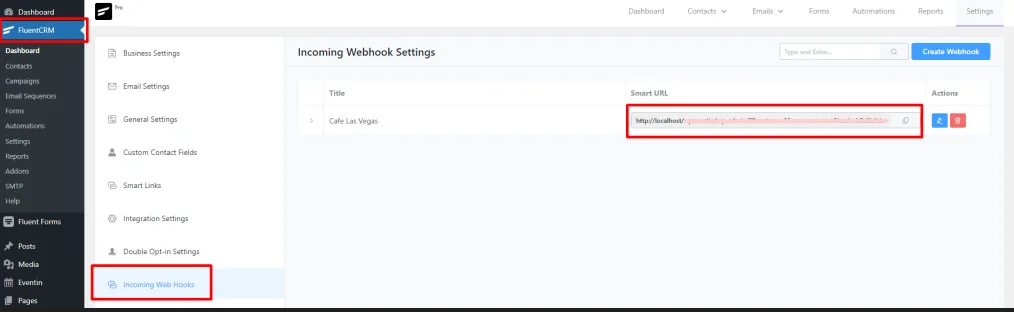
1. From the FluentCRM menu, go to Settings > Incoming WebHooks.
2. Click on Create Webhook in the top right corner. A pop-up will appear to create a webhook.
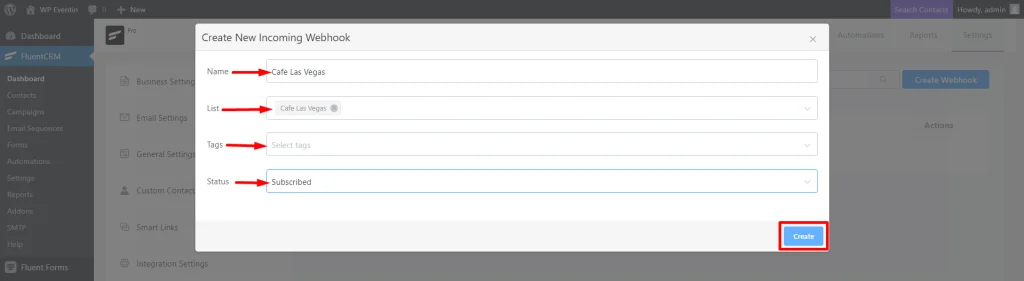
3. Fill in the required information, including name, the list you want to connect with Poptics, tags, and the status of incoming data.
4. Once completed, click the Create button.
5. You will see the Webhook URL on your FluentCRM dashboard under Incoming Webhooks. Copy this URL for future use.
Step 3: Paste Webhook into WPCafe Settings #
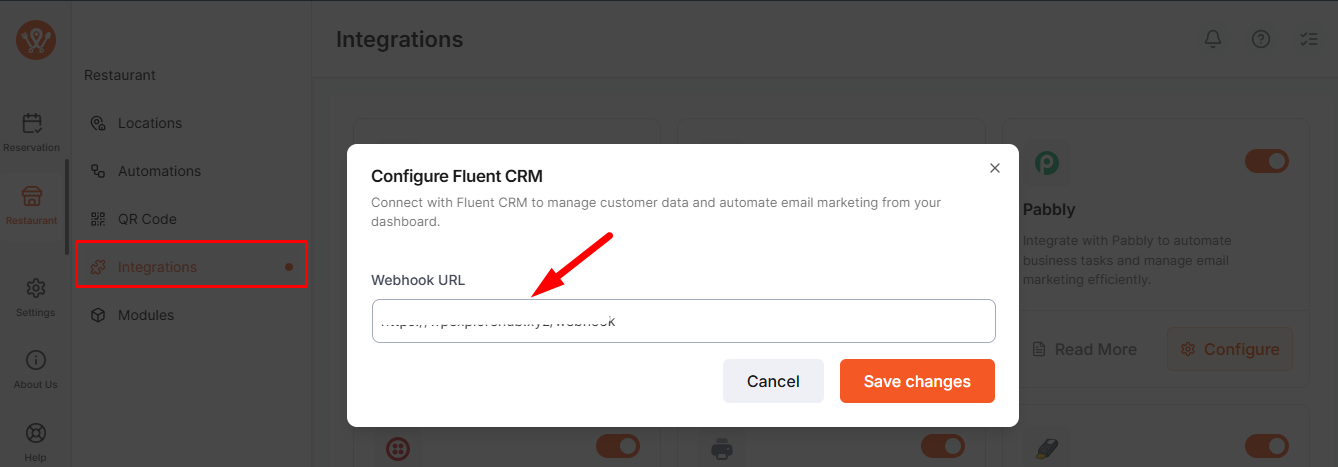
Go to WPCafe → Restaurant → Integrations, enable FluentCRM, click Configure, paste your webhook URL, and save.
Step 4: FluentCRM in WooCommerce Products #
WooCommerce is an open-source e-commerce plugin for WordPress. With FluentCRM‘s WooCommerce integration, you will gain more leverage over your customer relationships & discover new insights that weren’t used before.
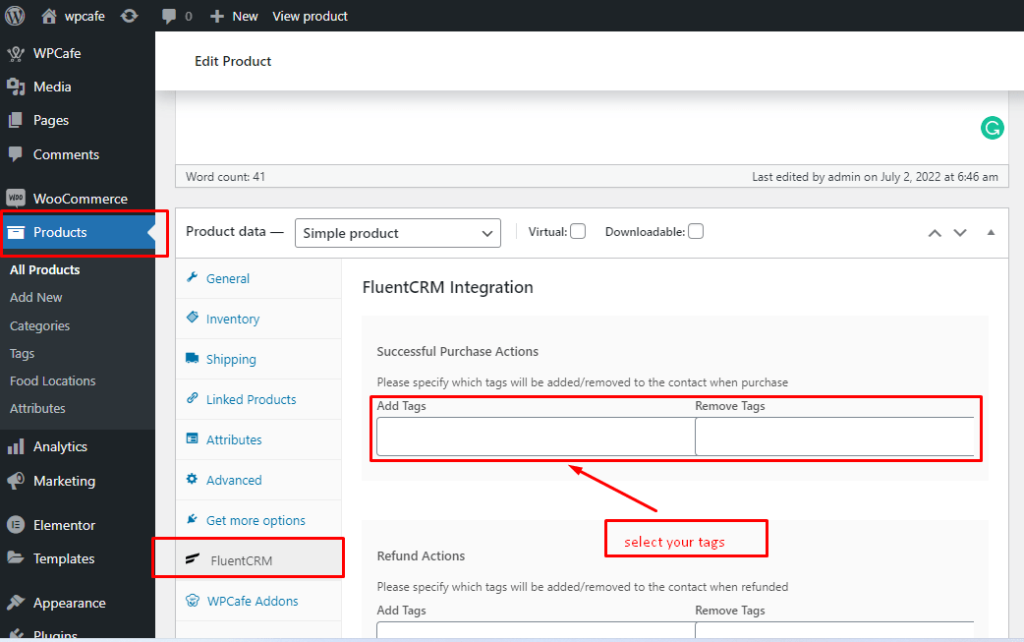
Go to WooCommerce and edit the Product which you want to integrate with fluenctCRM. Under the Product details, the CRM option is available.
Step 5: Contact Details #
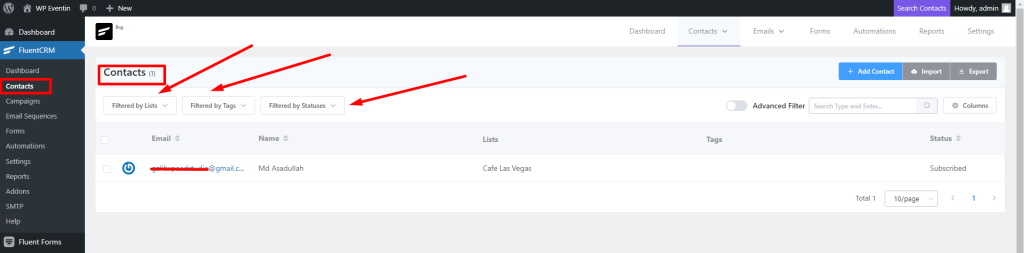
Now, go to the fluentCRM and check the contact list. You will see all the contact details. You can also shorten the contacts by filtering options.