Skip to content
Themewinter Logo
  • Home
  • About
  • Our Products
    • Eventin
    • WPCafe
    • WP Timetics
    • Poptics New
    • Booktics New
  • Blog
  • Deals
  • Login
Popular Search ticketqr codeemailtranslatelocation

Authorsy

  • Introduction
  • Getting Started
    • Introduction
    • Plugin installation
    • License
  • Author Box
    • Add New Author
    • Author Settings
  • Voting
    • Voting
  • Shortcodes
    • ShortCode
  • Translation
    • Translation with Loco Translate

Delivery Module(Pro)

  • General
  • Add Food Store’s Location on Google Map(Pro)
  • Google autocomplete address in the checkout(Pro)
  • Minimum order amount to place order(Pro)

Eventin

  • Introduction of Eventin
  • Gettings Started
    • Introduction of Eventin
    • How to install Eventin Plugin
    • How to Upgrade Eventin Free to Pro Version
    • How to Activate Eventin License
    • Quick Start Guide
  • General Settings
    • General Settings for Eventin
    • How to Change Event & Speaker Slug
    • How to Create a Webhook for Events (Pro)
    • How to Use Embeddable Scripts in Events(Pro)
    • How to Manage Role-Based Access in Eventin
    • Getting support
  • Events
    • How to Create Event in Eventin
    • How to Create Event Categories and Tags
    • How to Assign Categories and Tags to Events
    • How to Create Event Ticket Variations
    • How to Create Recurring Event in Eventin
    • How to Check Event Report
    • How to Customize the Eventin Event Page with Elementor
    • How to Use WooCommerce Coupon for Events
    • How to insert Event Location in Eventin
    • How to Submit Events from the Front End in Eventin
    • How to Create a Hybrid Event in Eventin
  • Event Attendees
    • How to Enable Event Attendee Registration
    • How to Add Attendee Extra Fields
    • How to Generate and Scan QR code(Pro)
    • How to Purchase Tickets on Eventin
    • How to Set a Countdown Timer for Ticket Purchases in Eventin
    • How to Send Event Certificates
    • How to Manage Attendees in Eventin
    • How to Manage Booking of Events
    • How to Add Attendees Manually (Pro)
    • How to View Event Bookings on the Frontend
  • Email Settings
    • How to Configure Confirmation Email for Event
    • How to Configure Reminder Email for Event
    • How to Configure RSVP Email
    • Email Automation Workflow Builder
  • Speakers and Organizers
    • Introduction of Eventin Speaker & Organizer
    • How to Create Eventin Speaker
    • How to Create Eventin Organizer
    • How to assign speakers on schedules
    • How to assign a speaker/organizer on events
  • Schedules
    • Introduction of Eventin Schedules
    • How to Create Eventin Schedule
    • How to Assign Schedule on Events
  • Payment Type
    • How to Configure FluentCart with Eventin
    • Which payment methods are supported by Eventin?
    • How to Configure the WooCommerce in Eventin
    • How to Configure the Stripe Payment Gateway in Eventin (Pro)
    • How to Configure the PayPal Payment Gateway in Eventin
    • How to Configure the Local Payment in Eventin
    • How to Configure SureCart in Eventin
  • Shortcodes & Widgets
    • Available Shortcodes & Widgets in Eventin
    • How to Use Eventin Shortcodes
    • Elementor Widgets in Eventin
    • Event Calendar View In Eventin
  • RSVP Events (Pro)
    • What is RSVP Event
    • How to Create RSVP in Eventin
    • RSVP Attendee Report
    • How to send RSVP invitations
  • Visual Seat Map
    • How to Create Event with Visual Seat Map in Eventin
  • Integration
    • How to Integrate Eventin with Bit Integrations
    • How to Integrate Eventin with Bit Flows
    • How to Integrate Eventin with OttoKit (formerly SureTriggers) to Automate Event Workflows
    • How to Integrate WowRevenue with Eventin
    • How to Integrate Oxyzen Builder with Eventin(Pro)
    • How to Integrate Bricks Builder with Eventin(Pro)
    • How to Integrate DIVI Builder with Eventin
    • How to Integrate FluentCRM with Eventin (pro)
    • How to Integrate Calendar with Eventin (Google, Apple etc)
    • How to Integrate Pabbly with Eventin
    • How to Integrate Twilio SMS Remindar with Eventin
    • How to Integrate Zapier with Eventin
    • How to Integrate BuddyBoss with Eventin(Pro)
    • How to Integrate Zoom Module with Eventin
    • How to Integrate Google Meet with Eventin (Pro)
    • How to Integrate Artificial Intelligence (AI) with Eventin (Pro)
    • How to Integrate Dokan with Eventin for Multivendor Events( Pro)
    • How to Integrate SEO Plugin with Eventin
    • Automate Eventin Bookings with Make.com Webhooks
  • Templates
    • How to Override Email Template
    • How to Change Event Templates
    • How to Change Speaker Templates
    • How to Change Ticket Templates
    • How to Override Event Template
    • How to Override Speaker Template
    • How to Override Archive Page
  • Template Builder
    • How to Create Custom Event Landing Pages in Eventin (Pro)
    • How to Create Event Ticket Templates in Eventin (Pro)
    • How to Create Event Certificate Templates in Eventin (Pro)
  • Translations
    • Which languages are supported in Eventin?
    • Which translation plugins are supported in Eventin?
  • Rollback V4 to V3
    • Rollback V4 to V3
  • Troubleshooting
    • Admin Email Showing in Public Source Code
    • Ticket Email Sent from WordPress
    • ACF Field Support
    • How to Fix 404 issue on Event Page

General

  • How to Cancel Your Subscription

Optiontics

  • What is Optiontics?
  • How to Create Product Options

WPCafe

  • Introduction to WPCafe
  • Rollback V2 to V3
    • How to Roll Back to an Older Version of WP Cafe
  • Troubleshooting
    • Slug Change
  • Product Addons
    • Product Addons (Pro)
  • Email Settings
    • How to Automate Reservation Emails in WPCafe
  • Getting Started
    • Introduction of WPCafe
    • How to install the WPCafe Plugin
    • How to Upgrade WPCafe Free to Pro Version
    • How to Activate WPCafe License
    • Quick Start Guide
    • Plugin Uninstallation
  • Translation
    • How to Translate WPCafe
  • General settings
    • How to Manage Global Schedule Settings
    • General Settings for Date and Time
    • Get Support
    • Theme Compatibility
    • User Roles and Permissions
    • How to use shortocde on WPCafe
    • WpCafe Elementor Widgets
  • Food Ordering
    • How to Add & Manage Food Categories and Tags
    • How to Add & Manage Brands
    • How to Add and Manage Food Menu in WPCafe
    • How to Manage Restaurant Locations in WPCafe
    • How to Show Food Menu by Location in WPCafe
    • How to Generate QR Codes for Food Menu
    • How to Enable Mini Cart in WPCafe
    • How to Set Up Tipping Using WPCafe
    • How to Add Discounts Using WPCafe
    • How to Enbale Sound Notification in WPCafe
    • How to Use Time Based Products in WPCafe
    • How to Setup Pickup for Food Ordering in WPCafe
    • How to Setup Delivery for Food Ordering in WPCafe
    • Searching Products with Pickup/Delivery(Pro)
  • Reservation
    • How to Configure Reservation Settings in WPCafe
    • How to Customize the Reservation Form in WPCafe
    • Notification Email
    • How to Display the Reservation Form
    • Schedule
    • Email Settings
    • Reservation with Food Ordering (PRO)
    • How to Customize Table Layout in Reservation
  • Integrations
    • How to Integrate Fluent CRM with WPCafe
    • How to Integrate Zapier in WPcafe
    • How to Integrate Pabbly with WPCafe
    • How to Integrate Shipday Plugin with WPCafe
    • How to Integration Twilio SMS with WPCafe
    • How to Integrate Clover POS with WPCafe
    • Loyalty Program Points & Rewards for Food Orders
    • How to Integrate Multivendor Addon in WPCafe
    • How to Use WPCafe Elements in Oxygen Builder
  • Style Settings
    • Style Settings
  • Home
  • Docs
  • Eventin
  • Shortcodes & Widgets
  • Elementor Widgets in Eventin
View Categories

Elementor Widgets in Eventin

Elementor widgets provide an easy way to design and customize event-related content like speaker profiles, schedules, and ticketing. With its drag-and-drop interface, you can quickly adjust the layout and style without needing coding skills. You can change typography (fonts, sizes, weight), colors (text, backgrounds, buttons), and other design elements like borders, padding, and shadows.

It also lets you integrate dynamic content, pulling in event-specific details like dates, speaker bios, and ticket availability. For event pages, you can add widgets for schedules, speaker information, and ticketing, and even style each section to match your branding. This gives you full control over the look and functionality of your site, ensuring a professional and engaging event experience.

You can check all the available widgets for Eventin below…

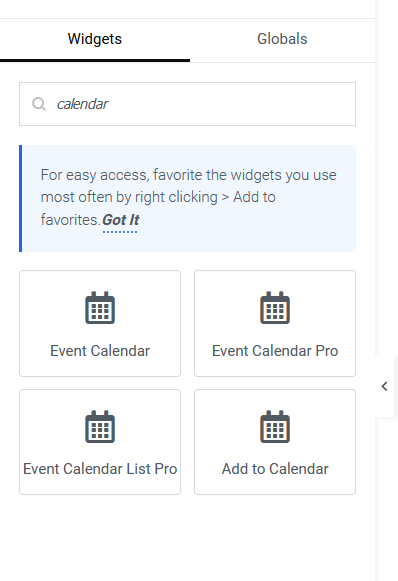
Edit or create a page with Elementor -> Search for the Eventin menu in the left sidebar, and you will find all the available widgets of Eventin.
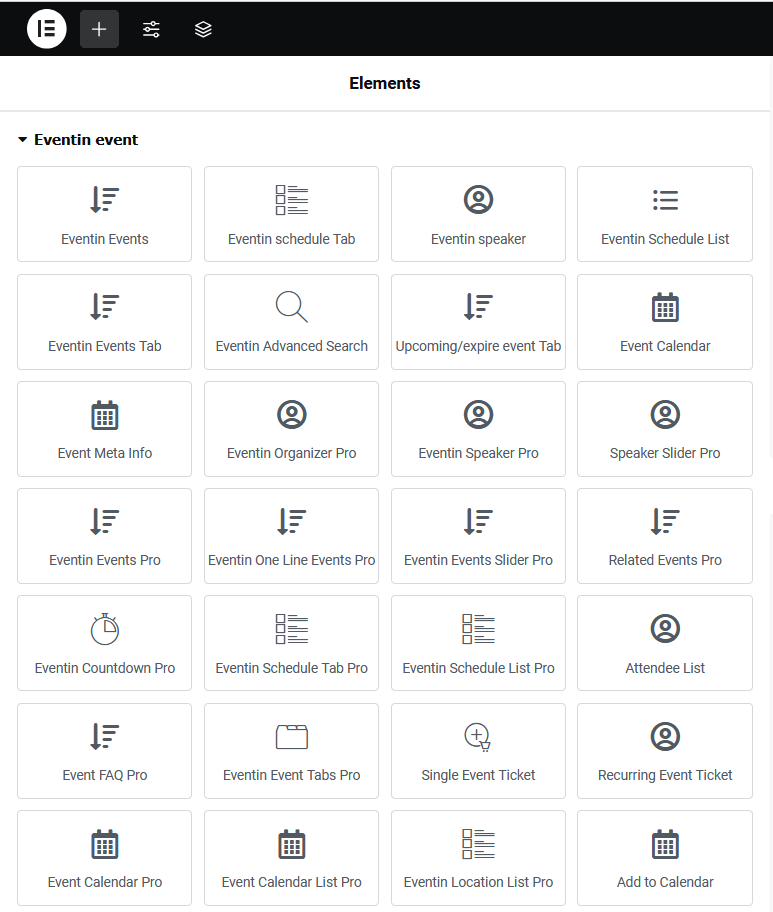
Event Widgets #

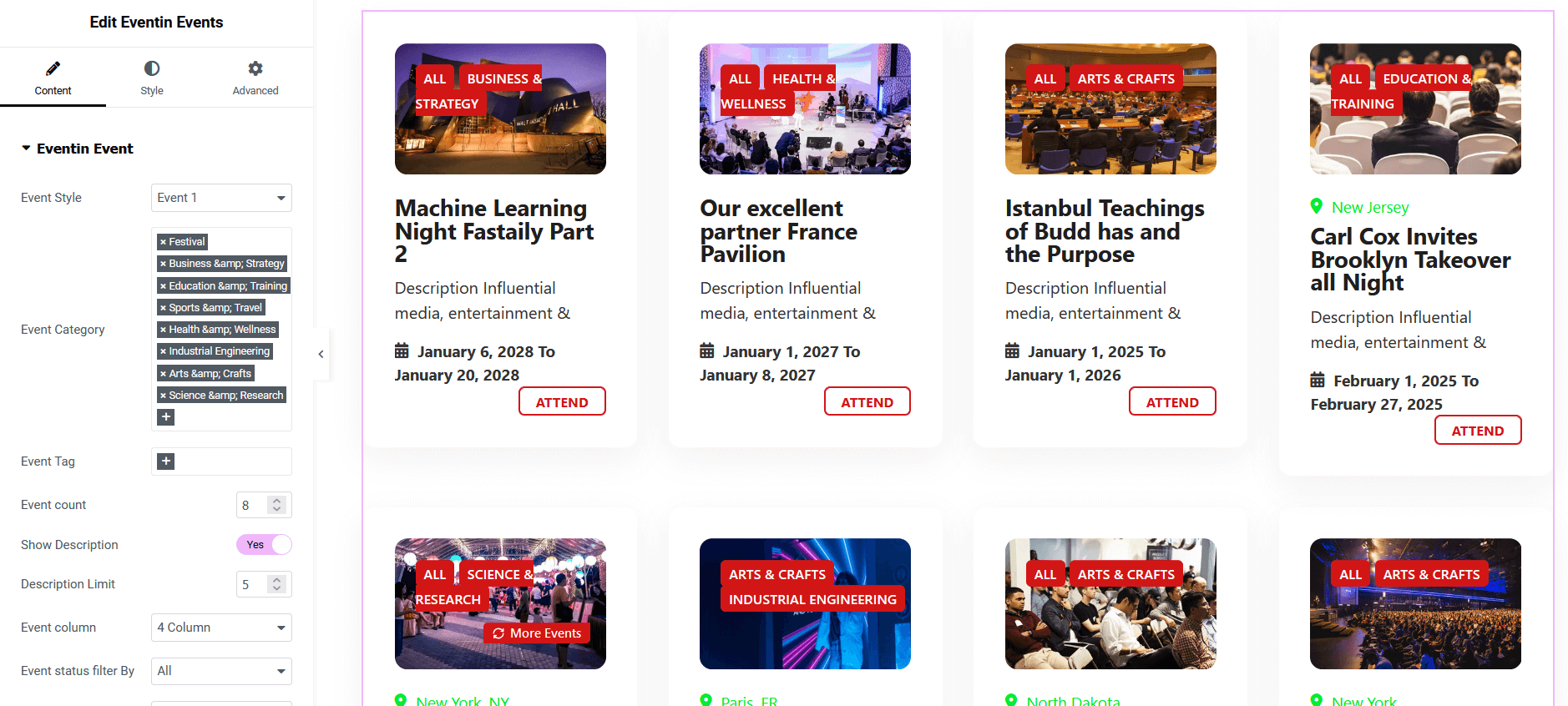
Eventin Events #
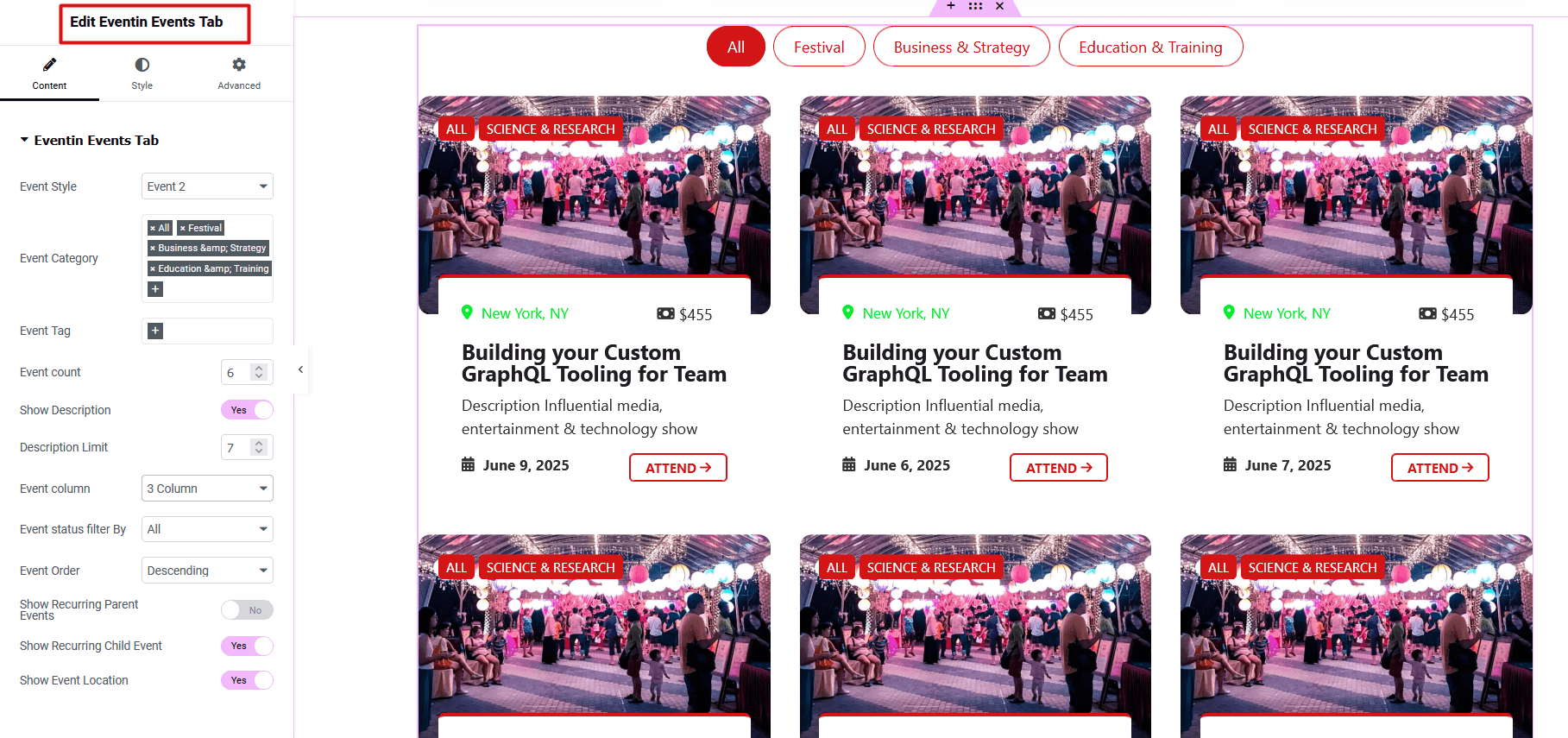
Eventin Events Tab #
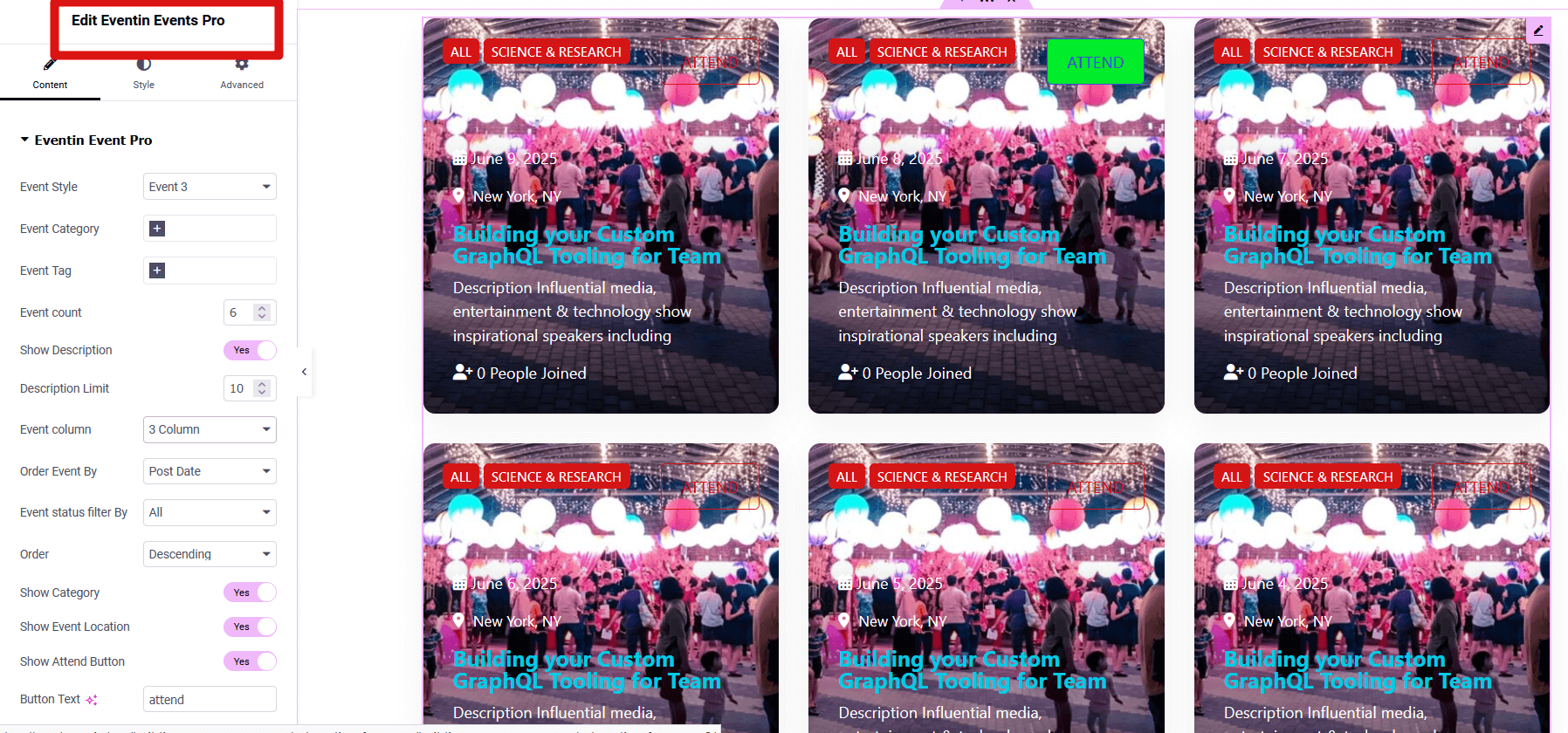
Eventin Events Pro #
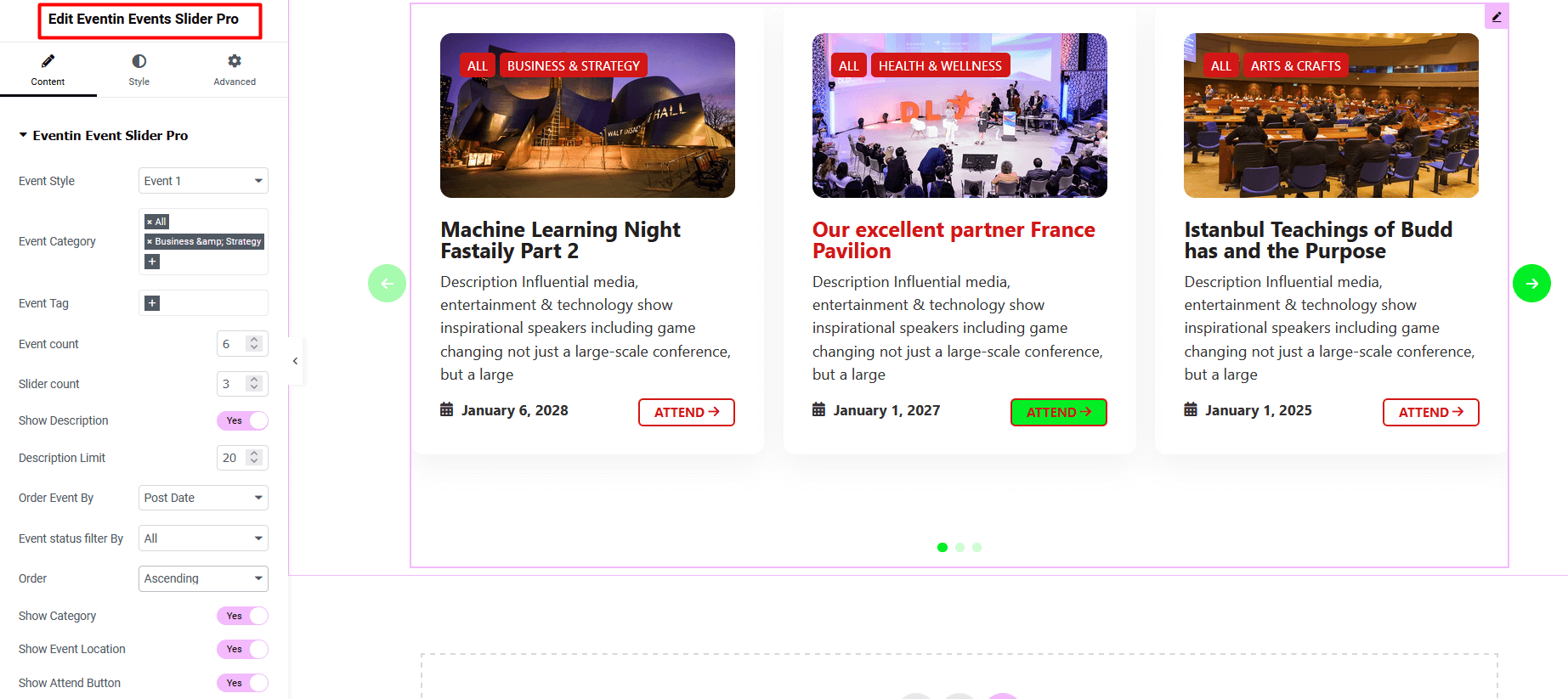
Eventin Events Slider Pro #
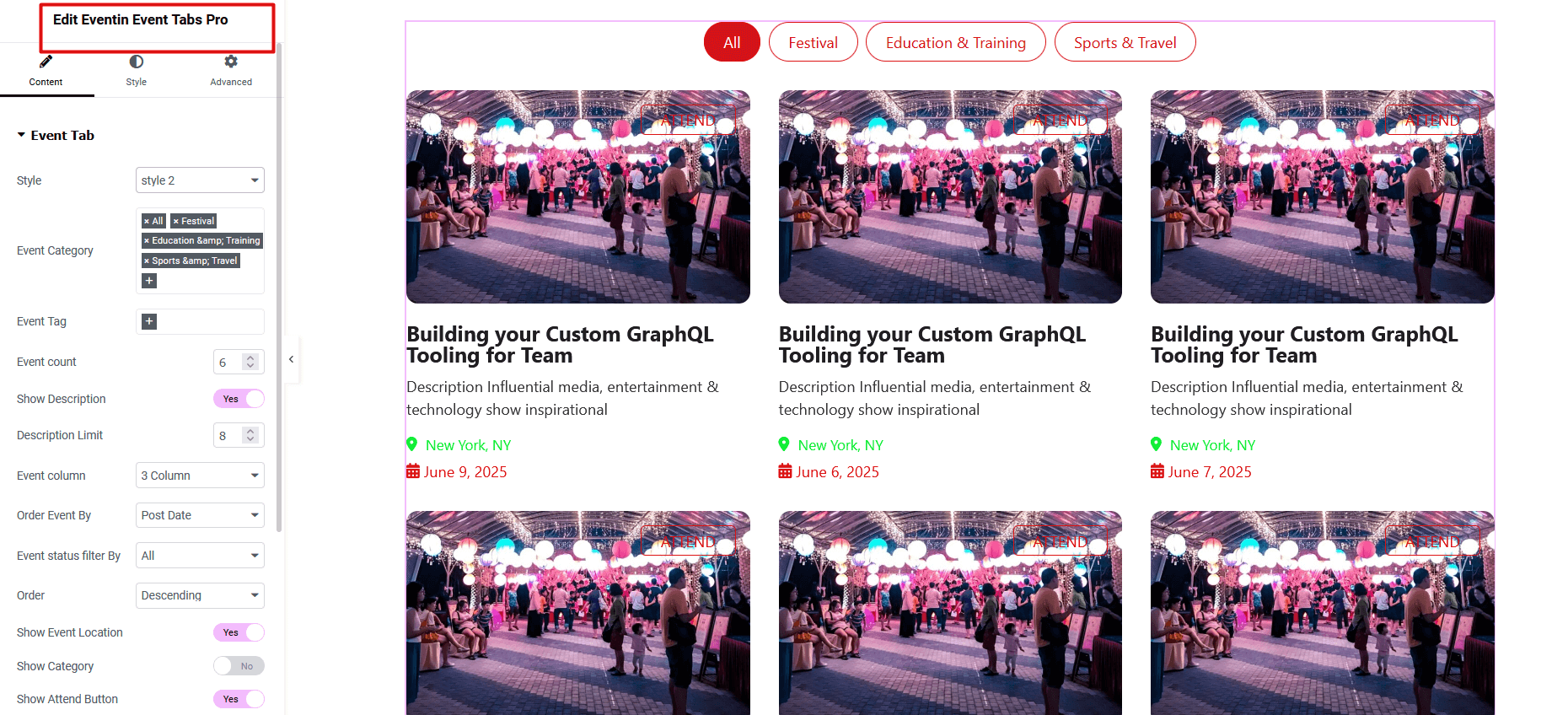
Eventin Event Tab Pro #
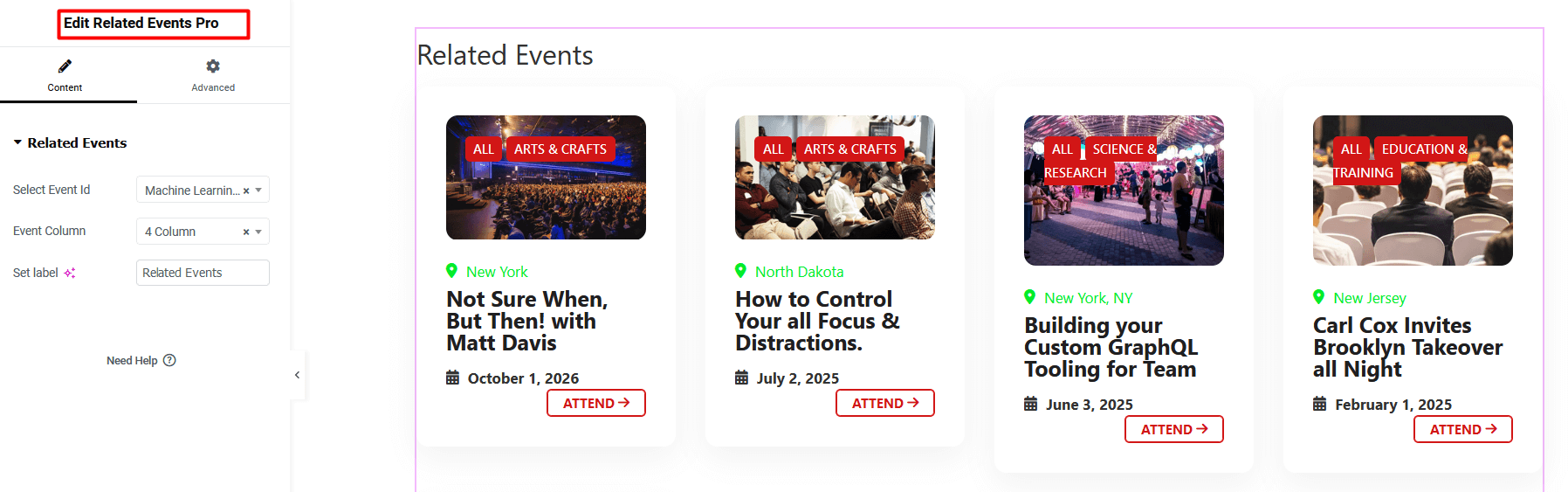
Related Event Pro #
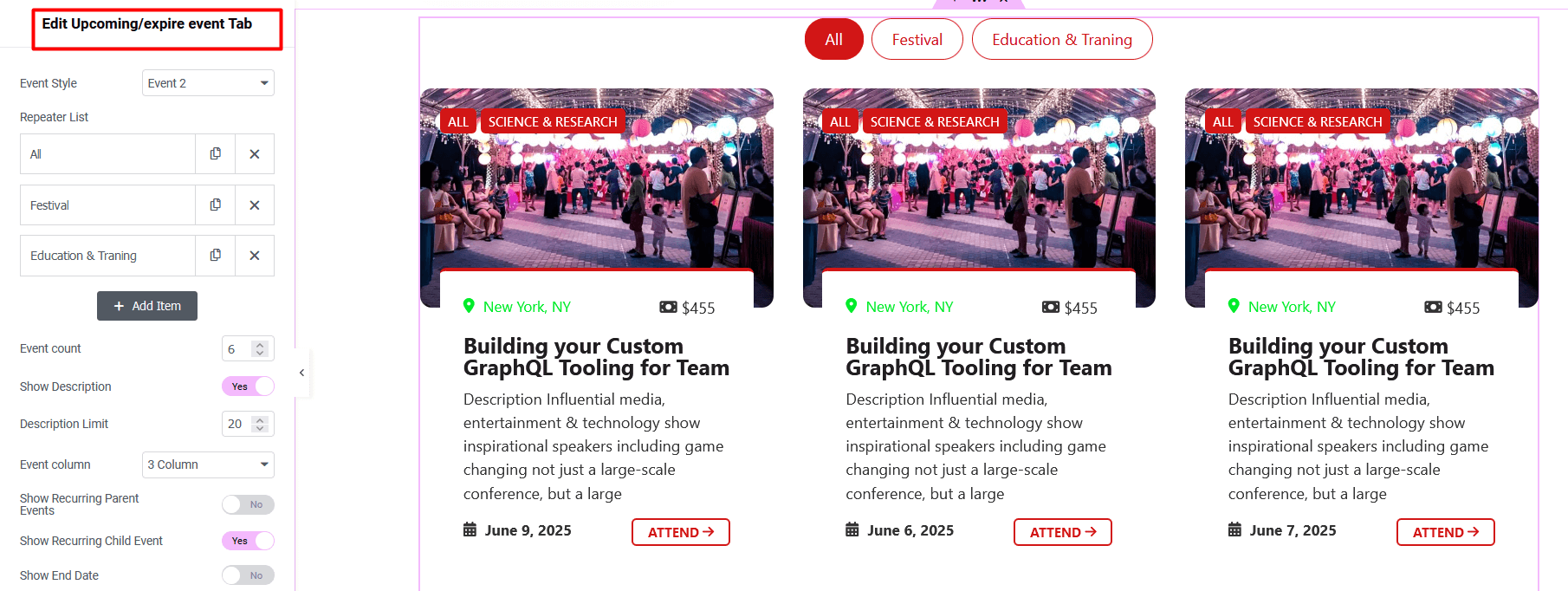
Upcoming/Expired Event Tab #
Speaker Widgets #

Eventin Speaker #
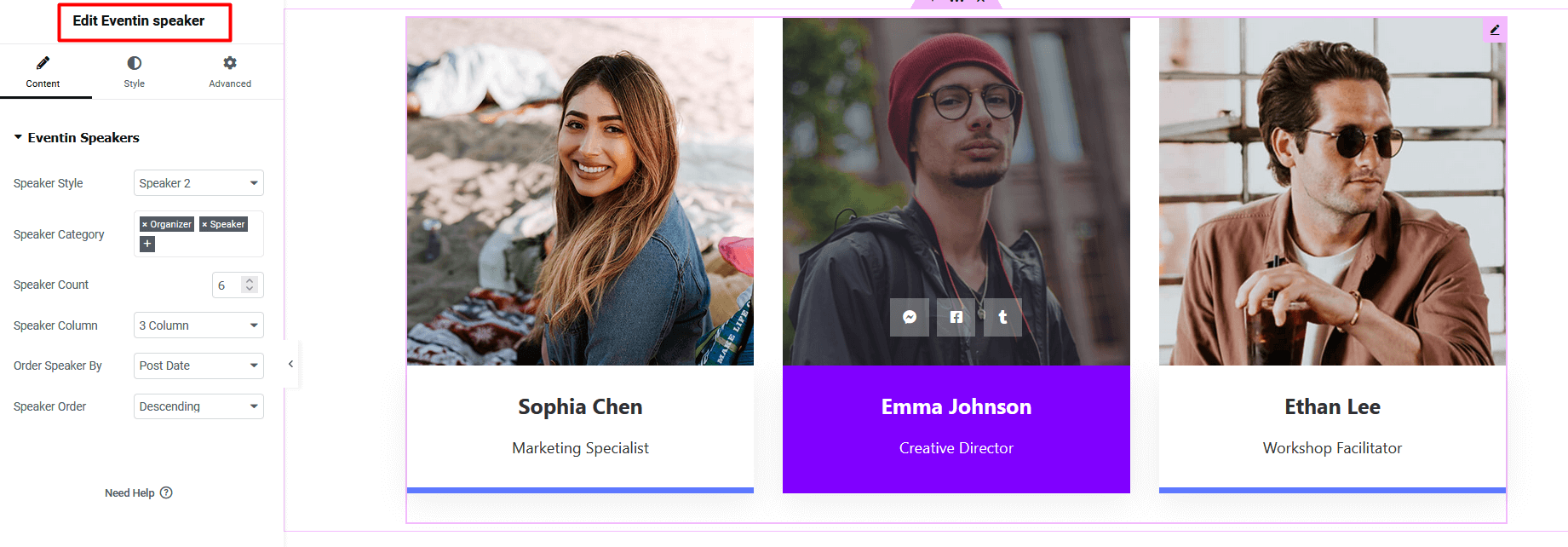
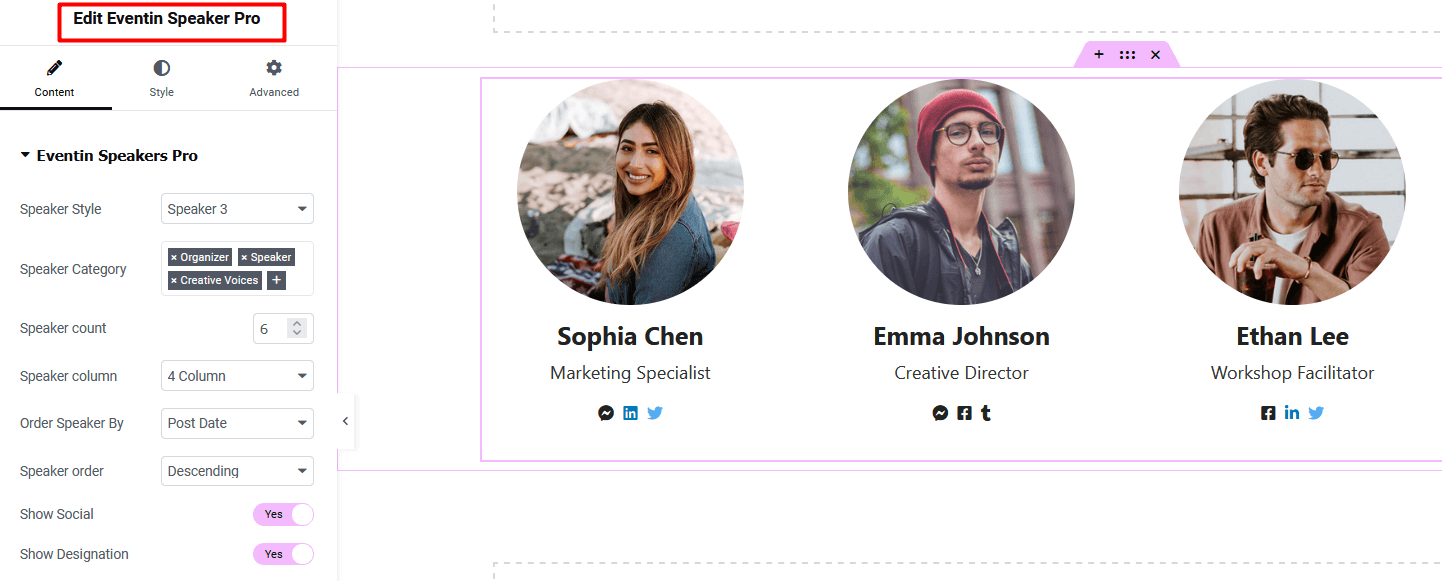
Eventin Speaker Pro #
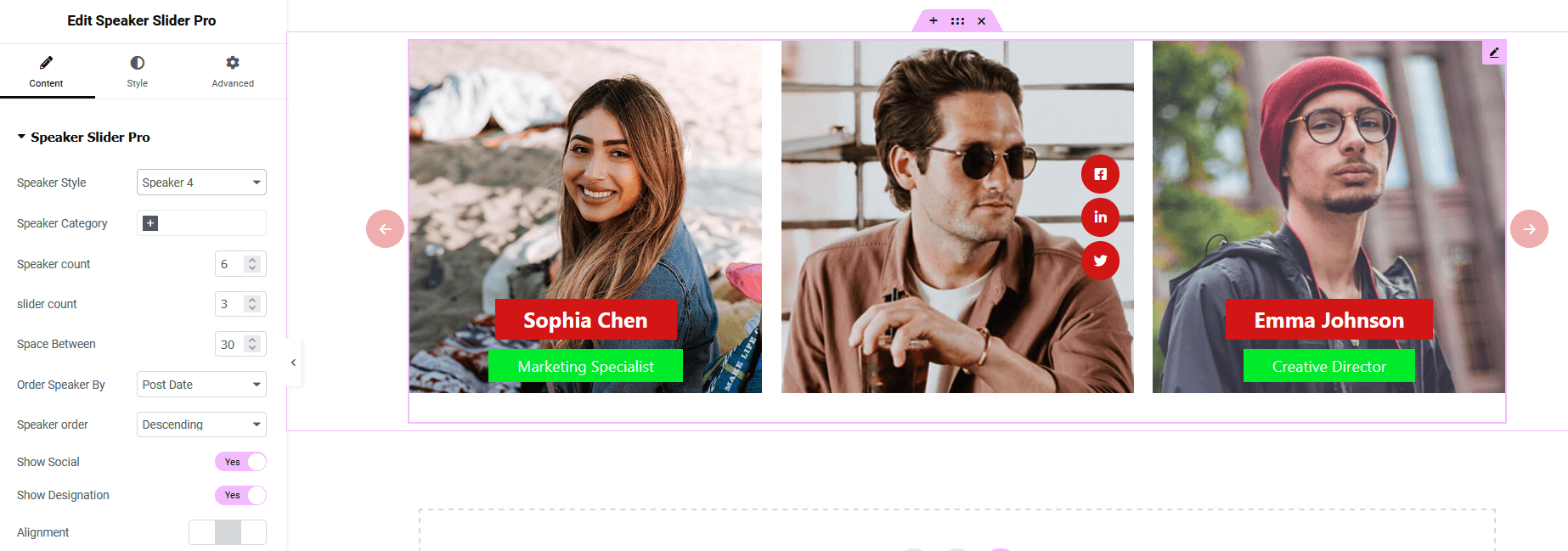
Speaker Slider Pro #
Eventin Organizer Pro #
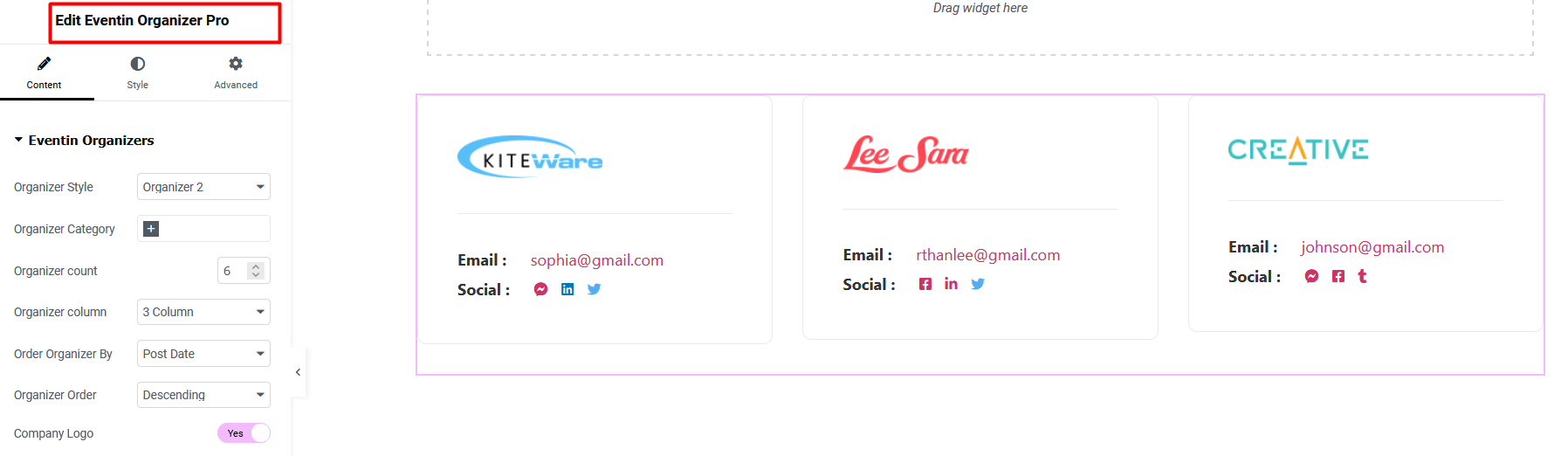
Schedule Widgets #

Eventin Schedule List #
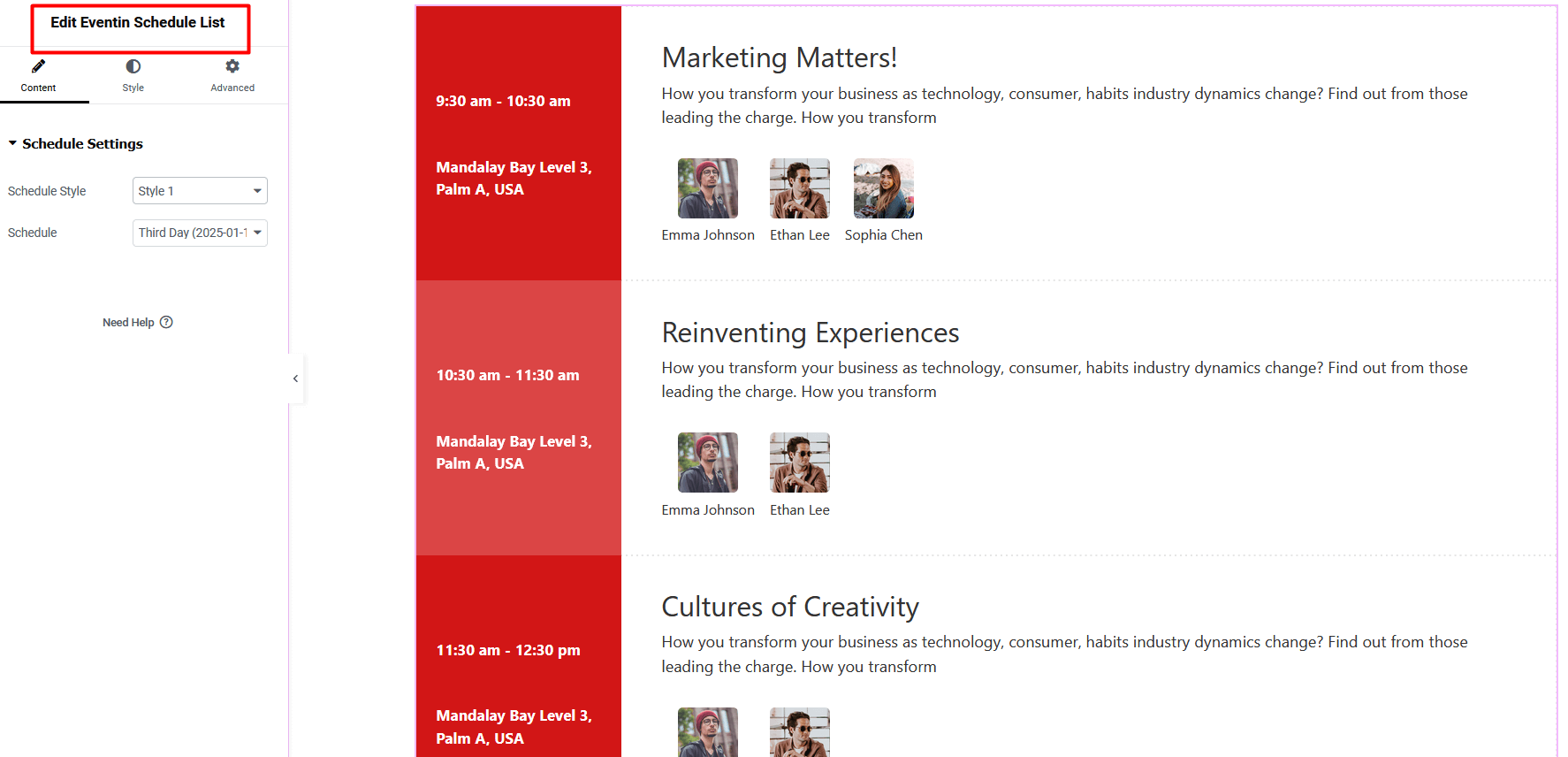
Eventin Schedule Tab #
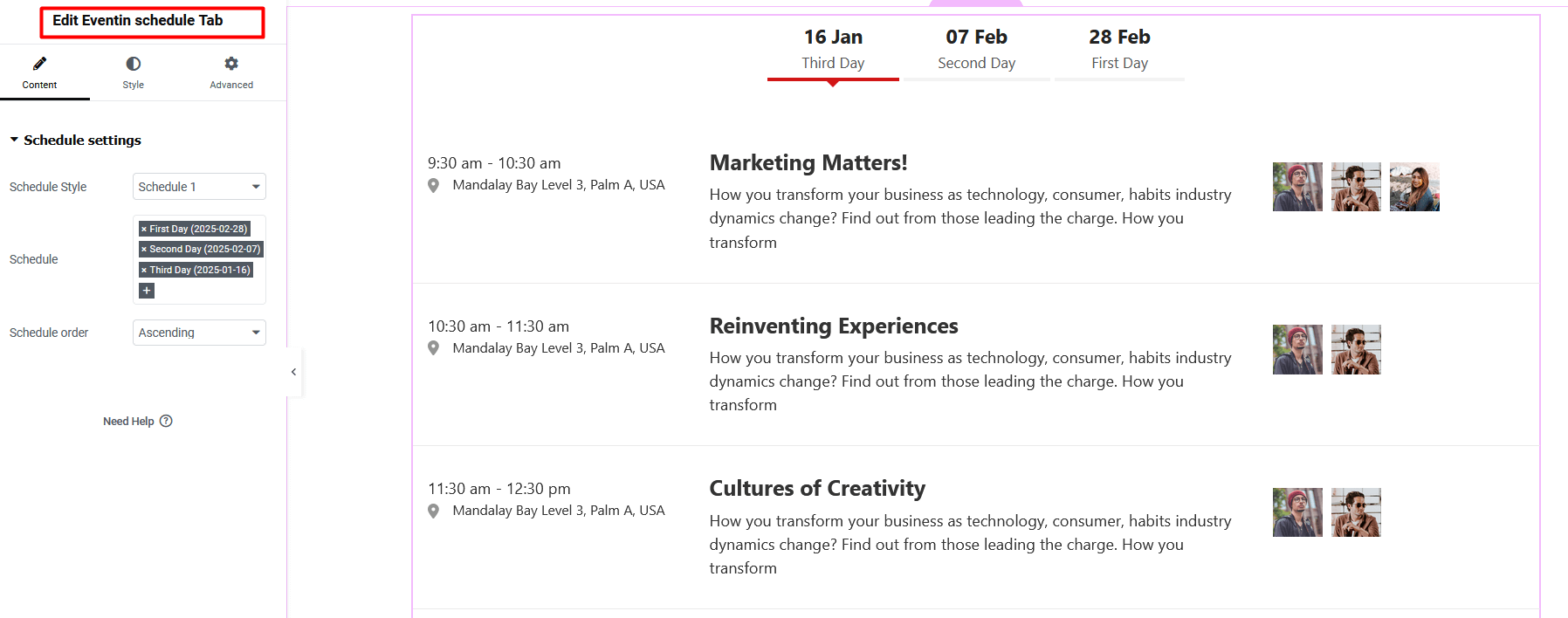
Eventin Schedule Tab Pro #

Eventin Schedule List Pro #
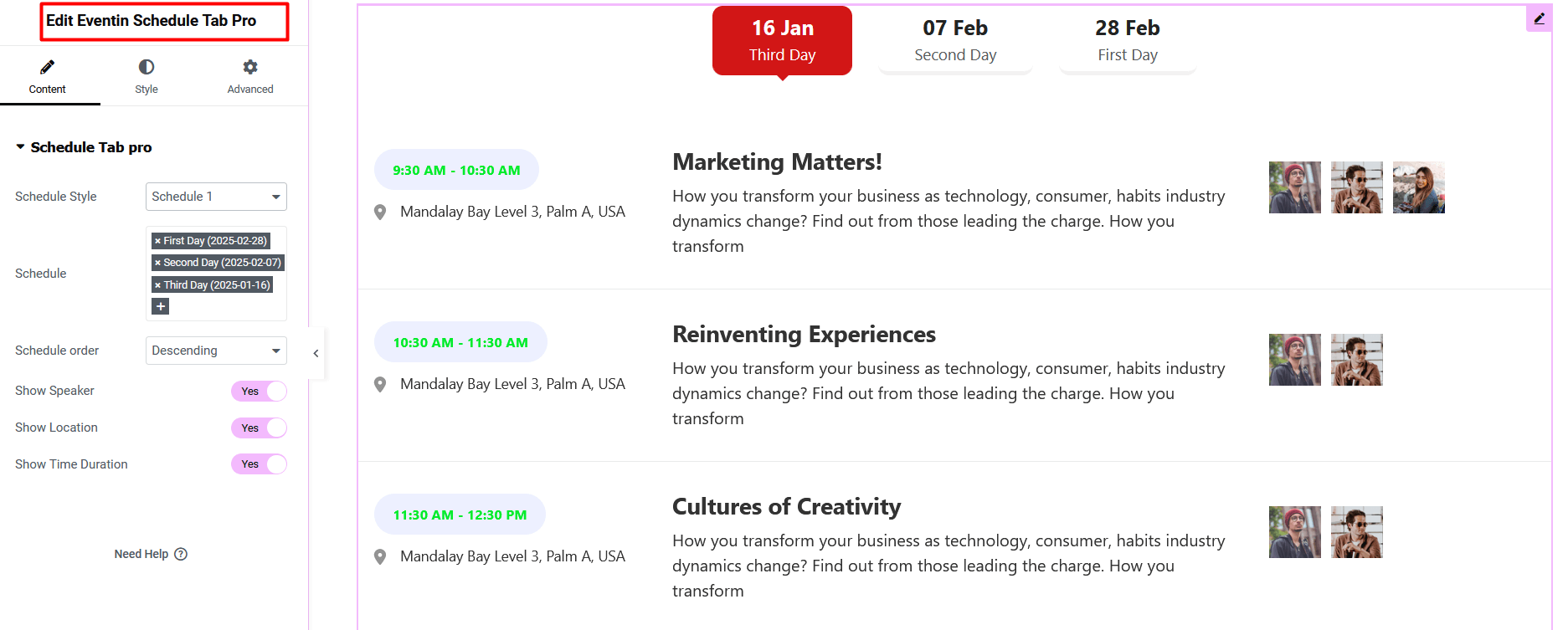
Calendar Widgets #

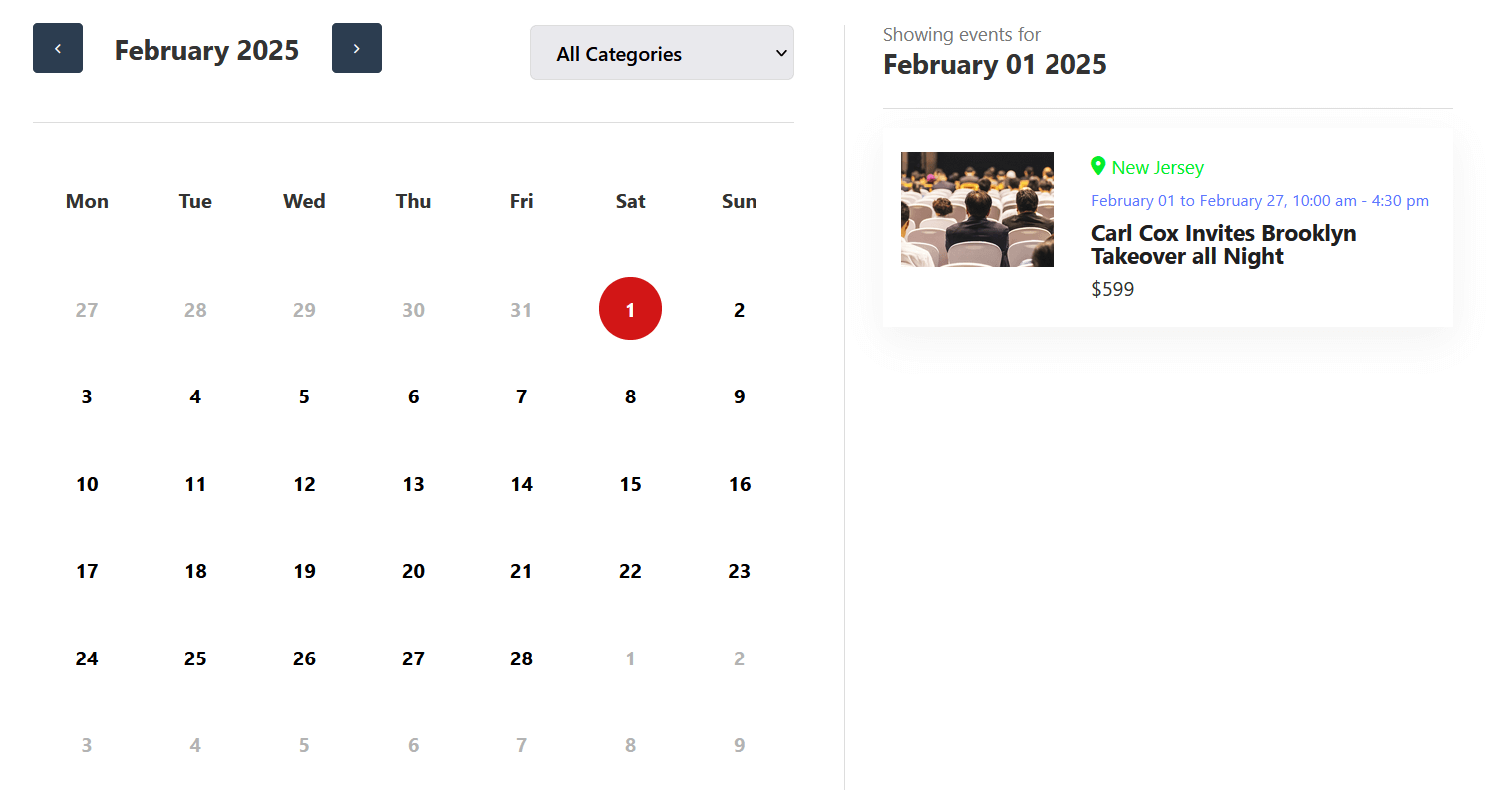
Event Calendar #
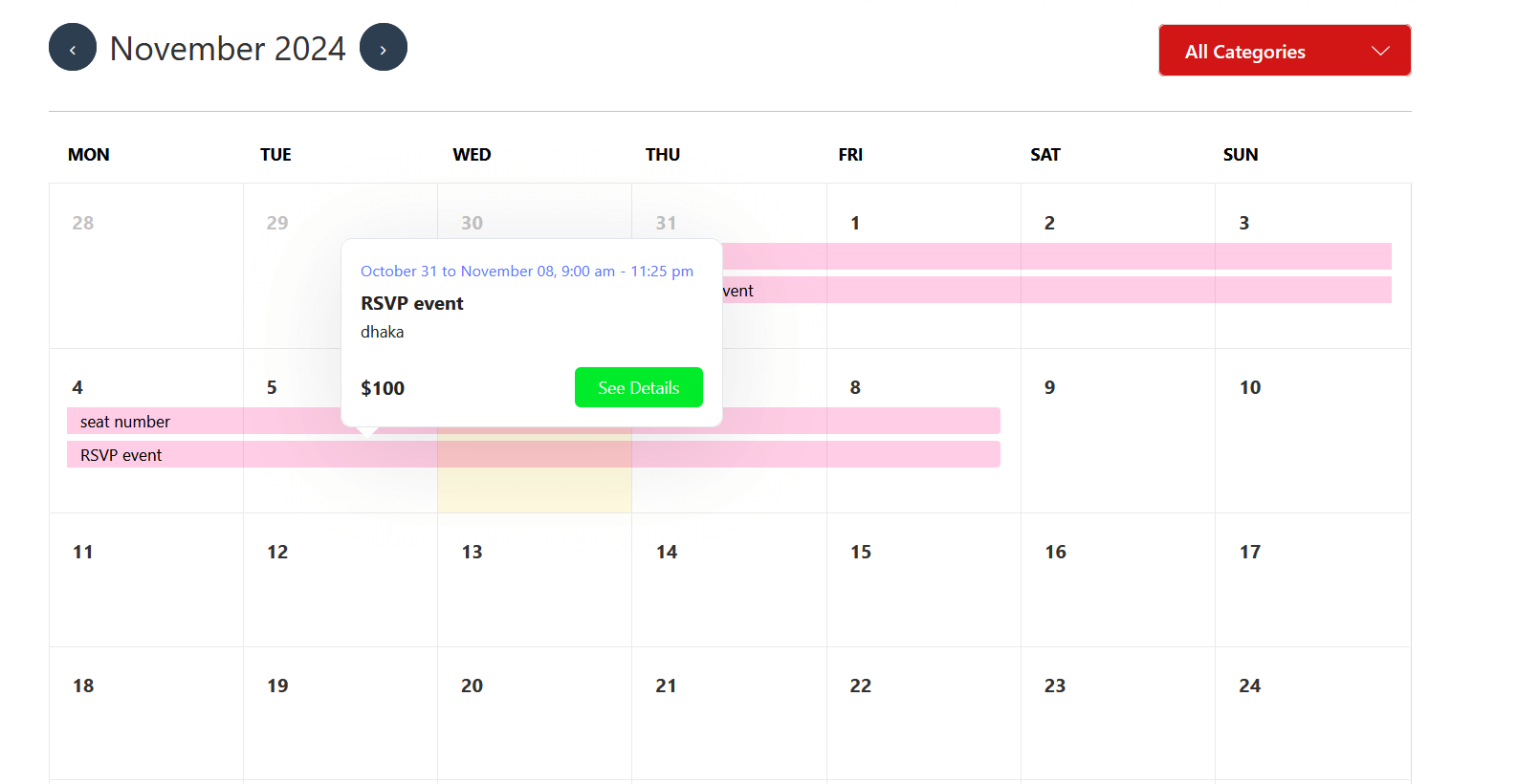
Event Calendar Pro #
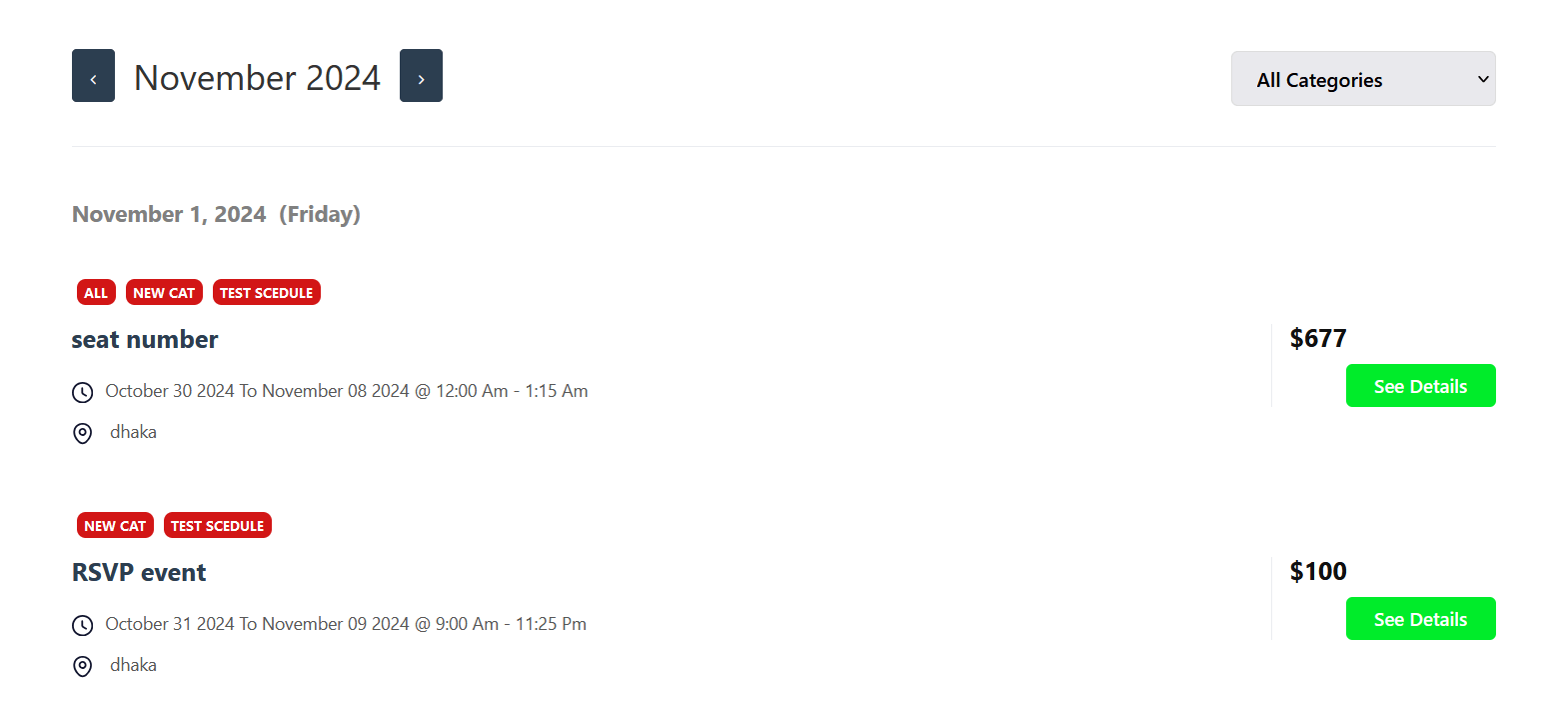
Event Calendar List Pro #
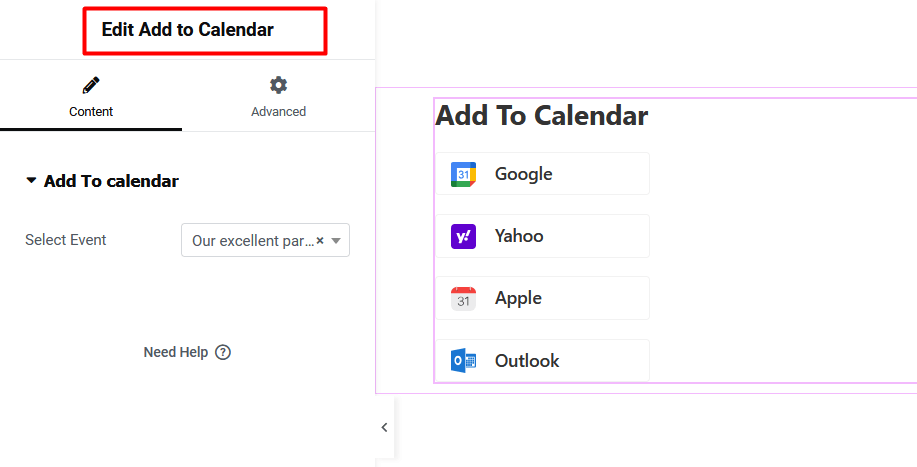
Add To Calendar #
Ticket Widgets #

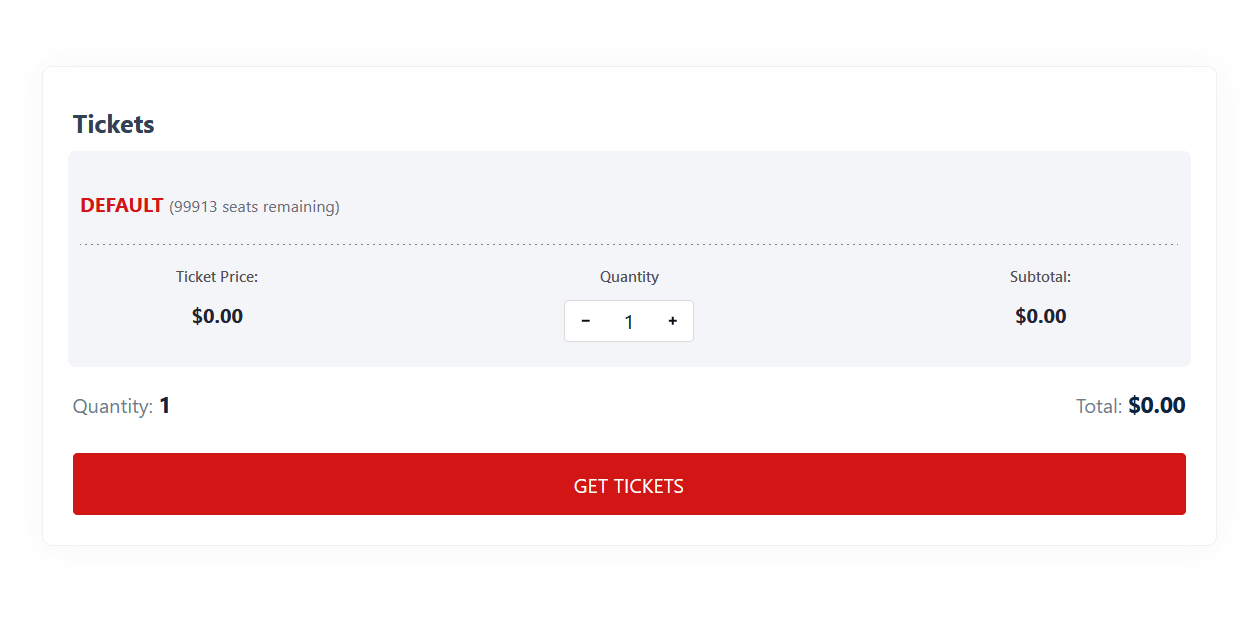
Single Event Ticket #
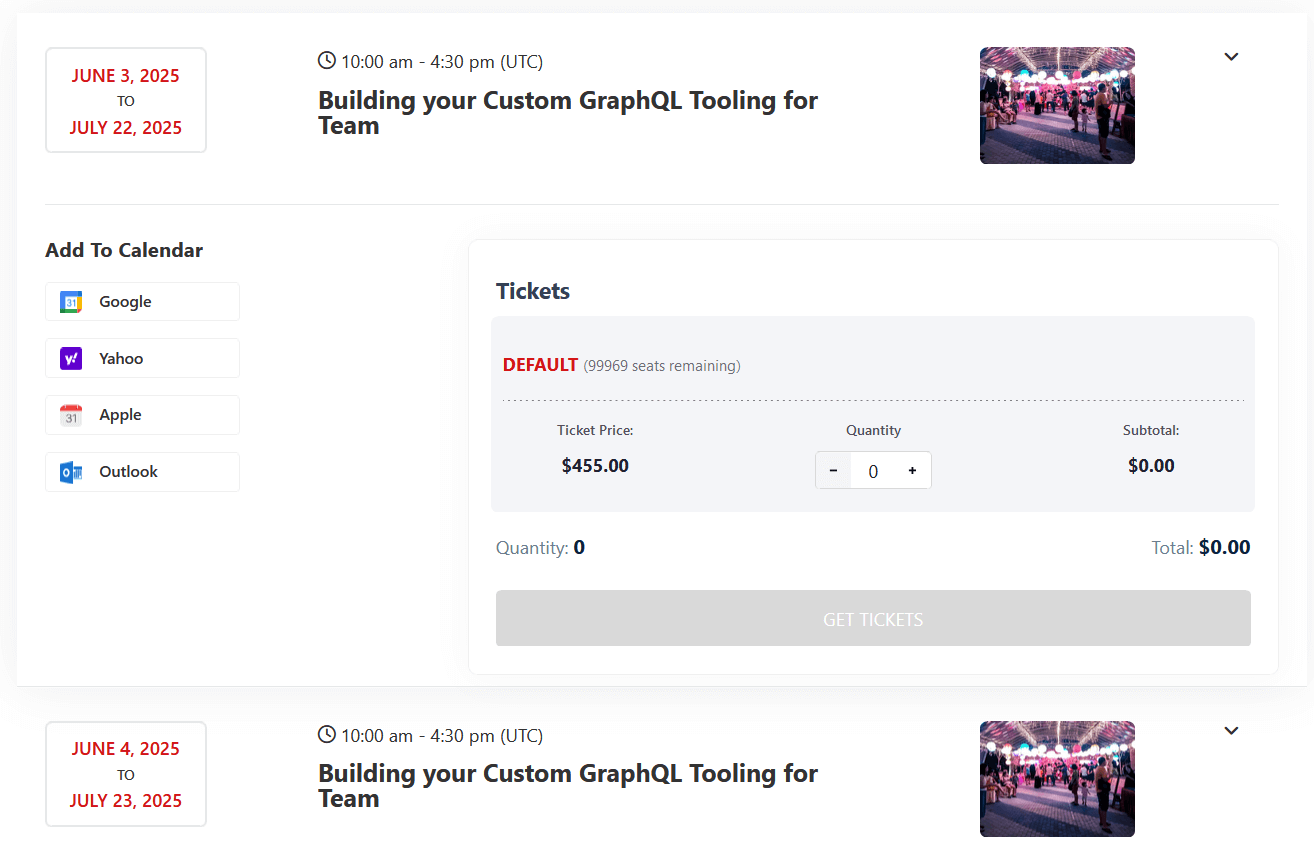
Recurring Event Ticket #
Other Widgets #

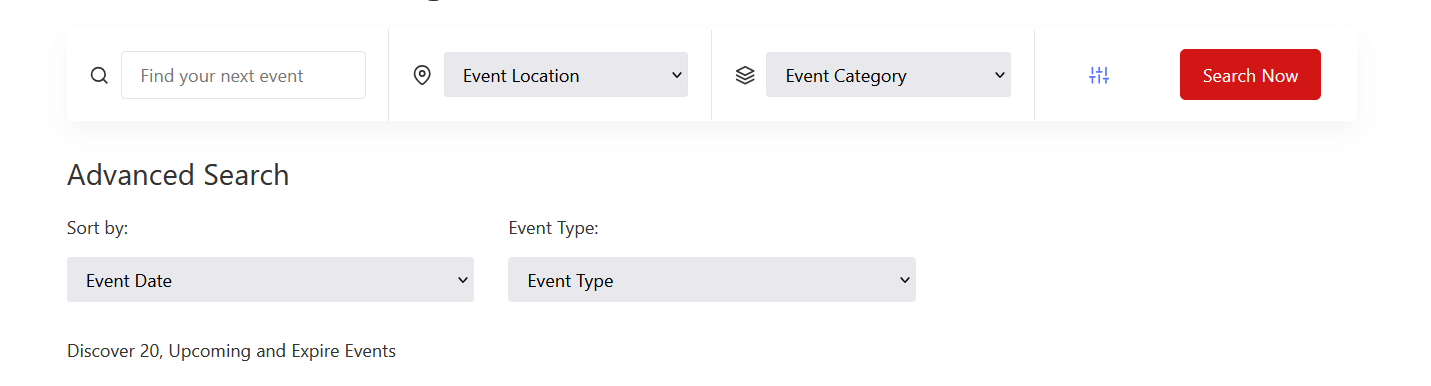
Eventin Advanced Search #
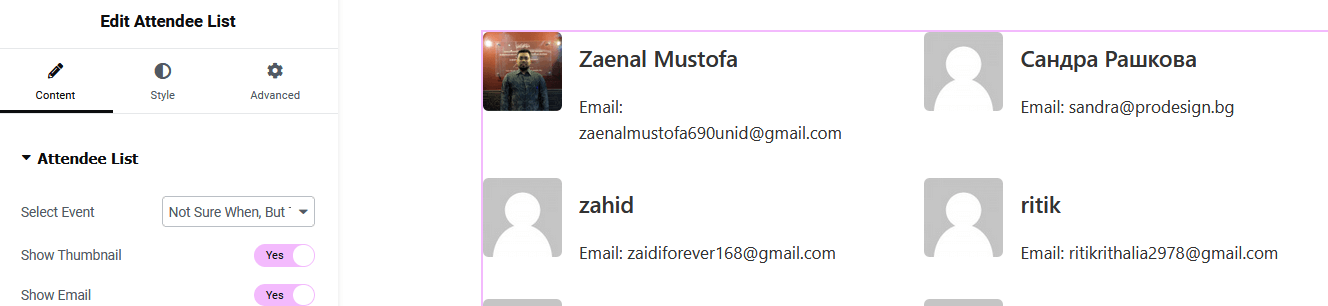
Attendee List #
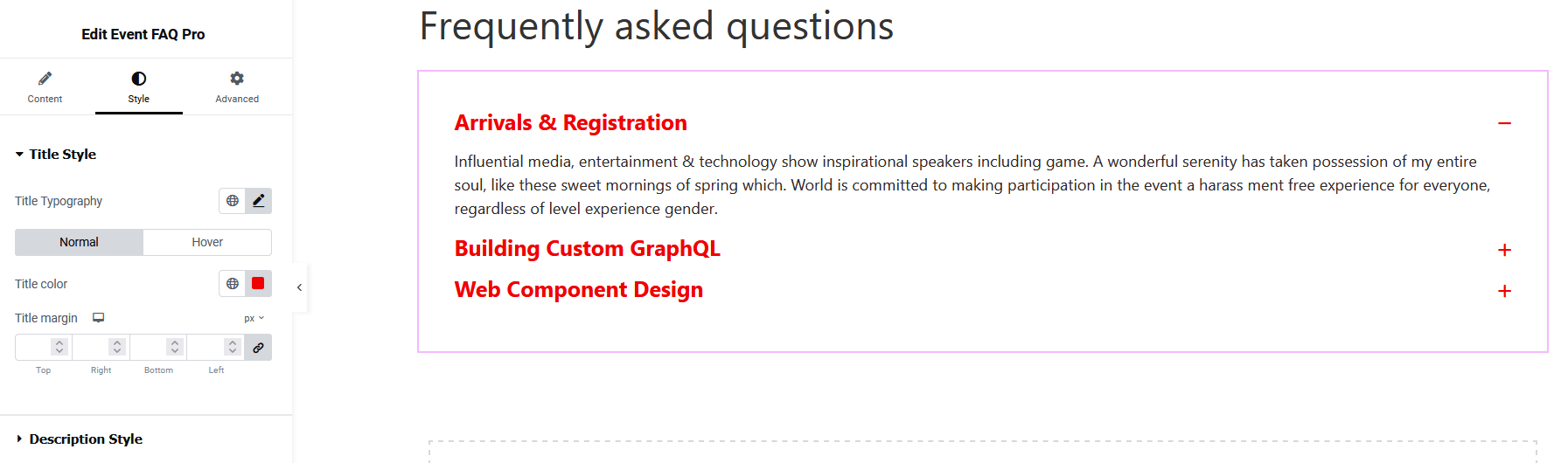
Event FAQ Pro #
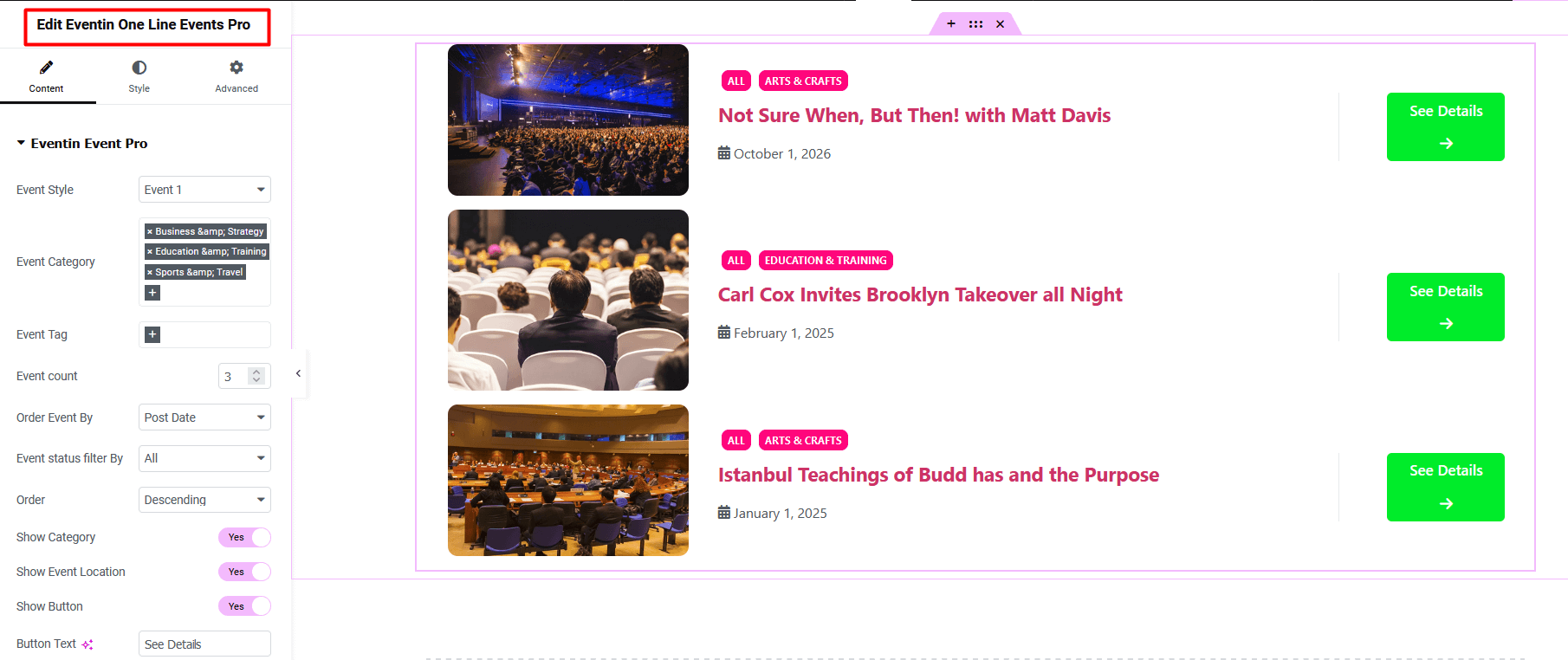
Eventin One Line Events Pro #
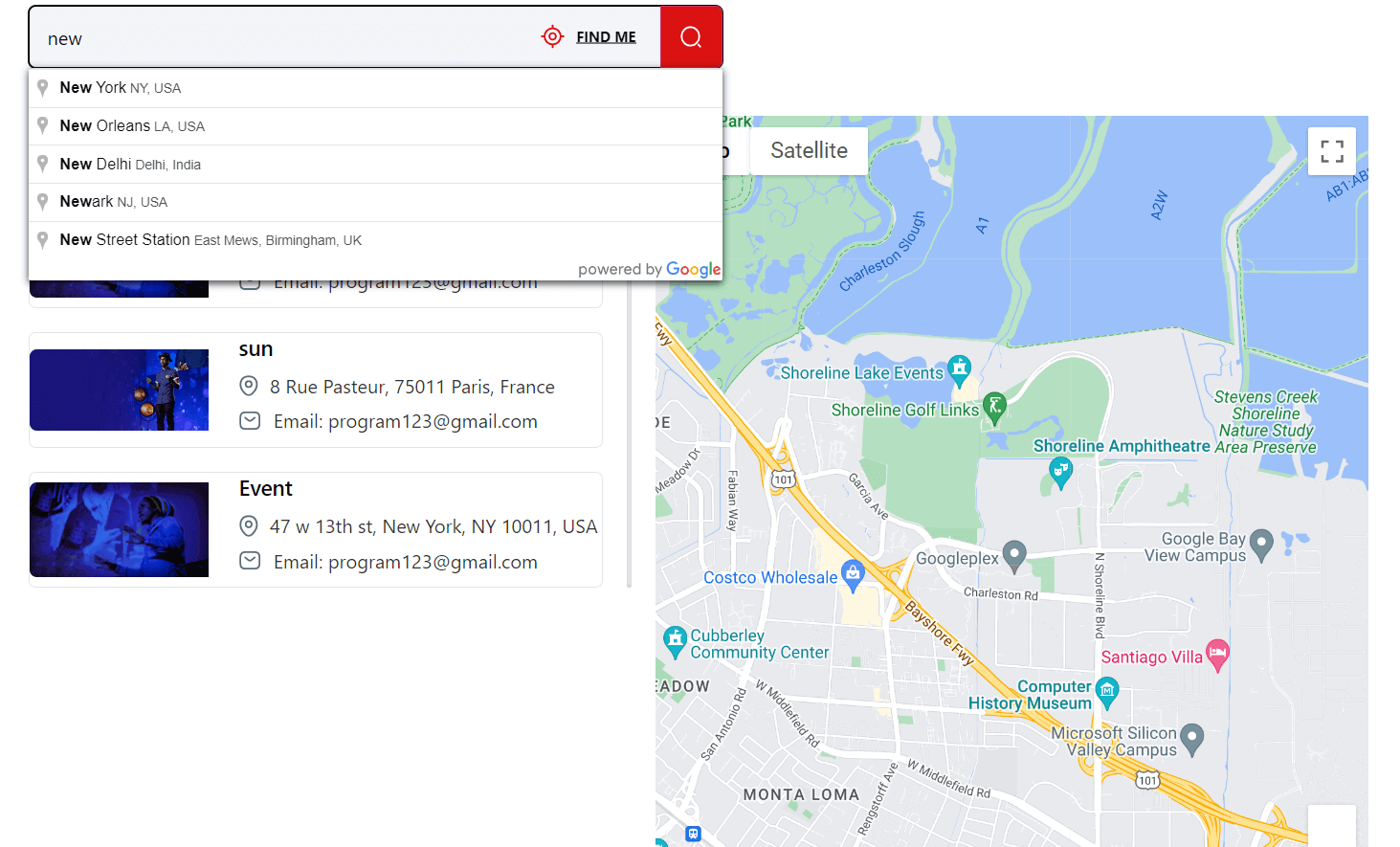
Eventin Location List Pro #
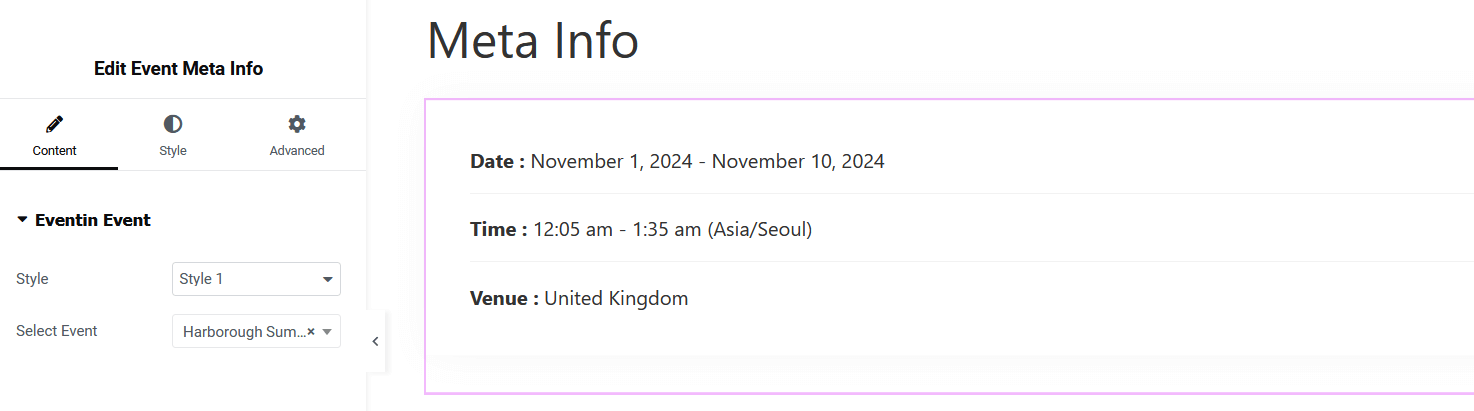
Event Meta Info #
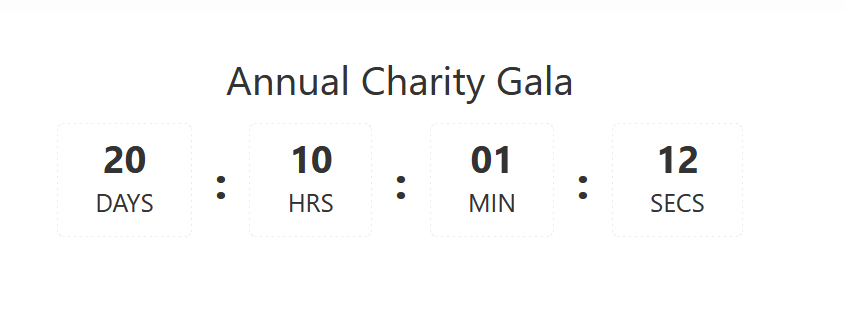
Eventin Countdown Pro #
What are your Feelings

Share This Article :

  • Facebook
  • X
  • LinkedIn
  • Pinterest
Updated on November 6, 2024
How to Use Eventin ShortcodesEvent Calendar View In Eventin
Table of Contents
  • Event Widgets
    • Eventin Events
    • Eventin Events Tab
    • Eventin Events Pro
    • Eventin Events Slider Pro
    • Eventin Event Tab Pro
    • Related Event Pro
    • Upcoming/Expired Event Tab
  • Speaker Widgets
    • Eventin Speaker
    • Eventin Speaker Pro
    • Speaker Slider Pro
    • Eventin Organizer Pro
  • Schedule Widgets
    • Eventin Schedule List
    • Eventin Schedule Tab
    • Eventin Schedule Tab Pro
    • Eventin Schedule List Pro
  • Calendar Widgets
    • Event Calendar
    • Event Calendar Pro
    • Event Calendar List Pro
    • Add To Calendar
  • Ticket Widgets
    • Single Event Ticket
    • Recurring Event Ticket
      • Other Widgets
    • Eventin Advanced Search
    • Attendee List
    • Event FAQ Pro
    • Eventin One Line Events Pro
    • Eventin Location List Pro
    • Event Meta Info
    • Eventin Countdown Pro
Copyright © 2013-2026 ThemeWinter. – A Brand of Arraytics.